Self-Service Playout Log Uploader
We are proud to announce our new self-service Playout Log (aka spot log) Uploader tool is now available in BETA. The log uploader tool allows users to manually upload logs directly into Veritone Attribute with a couple clicks. Please note this feature must be enabled on the organization level - please reach out to your Customer Success Manager if you are interested in this functionality.
Log Uploader Overview:
Once activated by Veritone, the new tool can be accessed from the new icon on the left menu panel as shown here.
The first page in the log uploader workflow allows you to upload a file. Note that file requirements include a 10 MB limit and file must be CSV UTF-8 format.
Once the file is uploaded, the next screen allows you map the columns in the uploaded file to Veritone's required fields. Simply select the value from the dropdown for each column in your file to map accordingly.
Please note: Be sure to double check the time zone selected in this step matches the time zone in your logs. This is a requirement for correct log mapping and to ensure there are no duplicate entries.
Please note that Veritone requires the following mandatory fields:
-
Advertiser
-
Duration
-
Event Name
-
Description of ad, song, promo, etc
-
Supported Format – Text String
-
Start & Date Time
-
Station
Optional Fields
In addition to the required fields, we also support the following optional fields:
-
Ad ID
-
Advertiser ID
-
Artist Name
-
Bonus
-
Event ID
-
Status
-
Type
-
Gross Rate
-
Market
-
Station City
-
Category
Once the file is uploaded and mapped, the next page shows all uploaded files (including the one just uploaded). Within the list of files, you will see key metrics such as record count and date ranges, as shown below.
File Statuses/Icon Descriptions
Each file on this page shows an icon next to it. The definition of the icons are as follows:
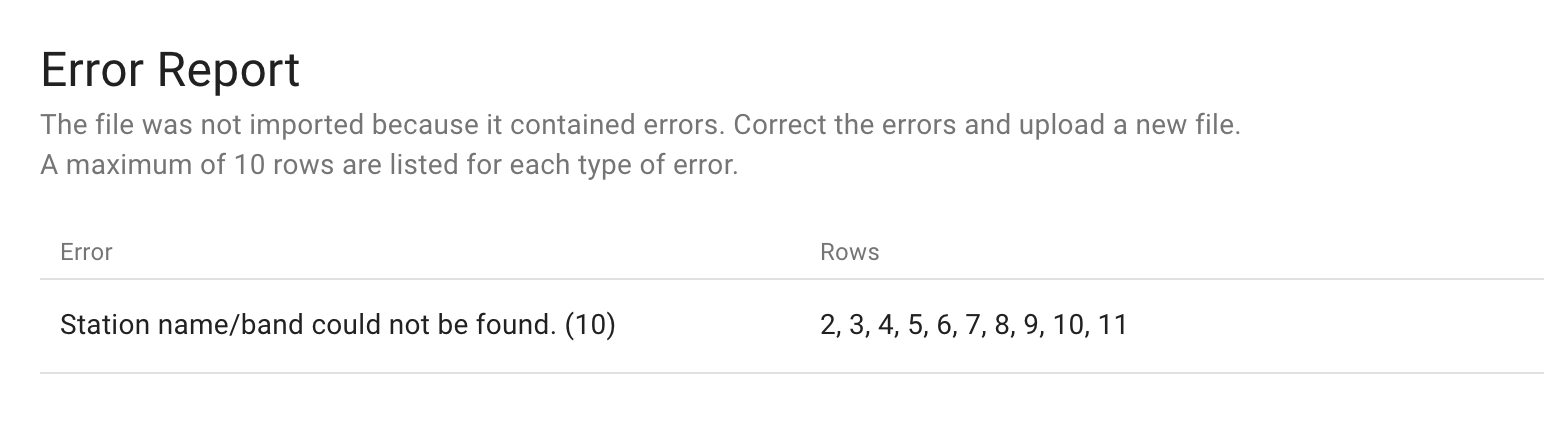
For files that don't match to Veritone required inputs, an error report will be provided. The error report screen will show the type of errors present in the file and the first 10 examples of that error in the file. Example below: