Improvements to Campaign Creation process
Our most recent Attribute release features a few small improvements to the Campaign creation process and connecting Google Analytics, which should improve the overall user experience.
Campaign Creation
When selecting multiple stations to be included in a Campaign during Step 2: Select Stations, users can now utilize the Show Selected toggle. This enables better visibility to the stations chosen as well as their associated markets quickly and easily.
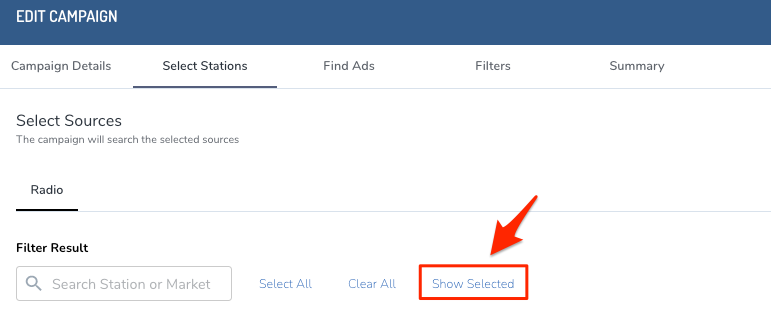
Pro Tip: Switch between the Show Selected and Show All toggle to view your current selections versus all possible stations available for selection.
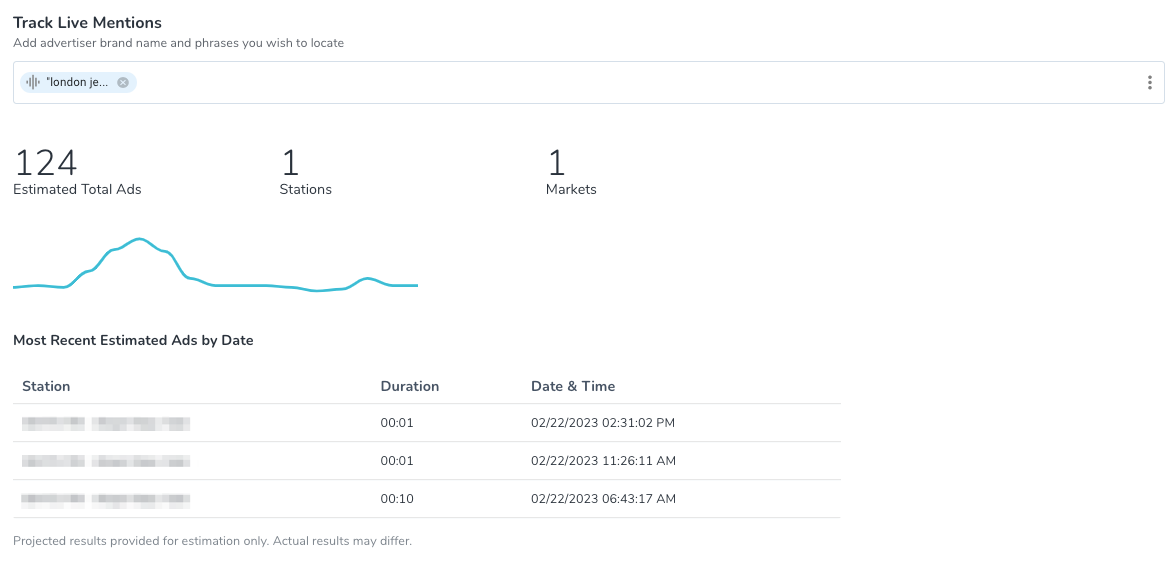
In addition to updating the Select Stations step, we have also improved Step 3: Find Ads. To ensure there's clarity into the estimated amount of spots identified via your search, we have added the Estimated Total to not only new Campaigns but also when editing a Campaign. Previously, this feature only populated during Campaign editing when making changes to the search string. Please note the Estimated Total will not populate on a new Campaign
until search criteria are entered during Step 3: Find Ads.
Google Analytics Connections
Additionally, there were some scenarios where Google Analytics admins were experiencing an error when connecting. We found that admins who only had one site in their account were getting an incorrect authentication error when attempting to connect to Attribute. New development on the connection process ensures these errors will no longer populate.
As always, we welcome your feedback and questions either to Support@veritone.com or to your organization's Customer Success Manager.


