Attribute now has full GA4 Support!
We're proud to announce full support and compatibility for Google Analytics GA4 with Attribute to measure web lift. Not only will you be able to connect new GA4 advertisers to Attribute, but we have also built a method to add a GA4 tag to an existing advertiser that is using a Universal Analytics (UA) tag. This new multi-connection ensures model that you can have continuous measurement for campaigns that may span across the planned July 1st, 2023 deprecation date for Universal Analytics (UA).
NOTE: All existing advertisers who are connected to a Google UA tag will need to migrate their connection instance to include over to a GA4 tag before July 1st, 2023. Although Google will be auto-migrate UA to GA4, please make sure to work closely with your Advertisers to ensure this transition is made.
New Advertisers - Connect to GA4
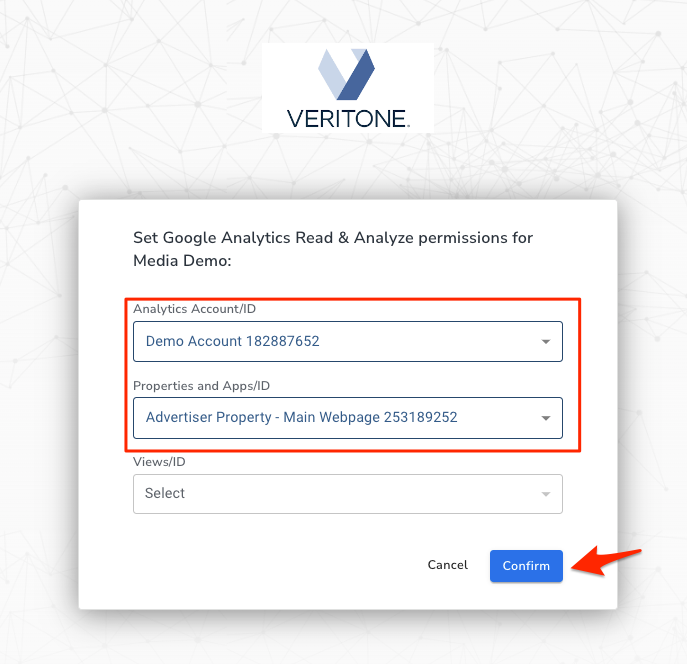
Overall, connecting a new advertiser to Google GA4 site tag is nearly identical to the previous process of connecting to a Google UA site tag. Users will follow the same steps of creating a new Advertiser, and once the Advertiser receives the email invitation they kick off the process by clicking the CONNECT button. After logging into the Google Analytics Admin account, they will read-only grant access for Attribute to access web data. Then confirm the Account and Property currently actively tracking web data for the desired website URL. The only change in this workflow from connecting Google UA items is a View will no longer be available or selectable with the GA4 model.
Full instructions on how to invite your net-new GA4 Advertiser can be found on here: How to Connect to Attribute using Google Analytics 4
Existing Advertisers - Connect to GA4
The Attribute application can also now support multi-connection under one Advertiser profile, meaning existing Advertisers can connect a Google GA4 site tag without the user creating a new Advertiser. How to do this can be found here: Add a GA4 Connection to an Attribute Advertiser
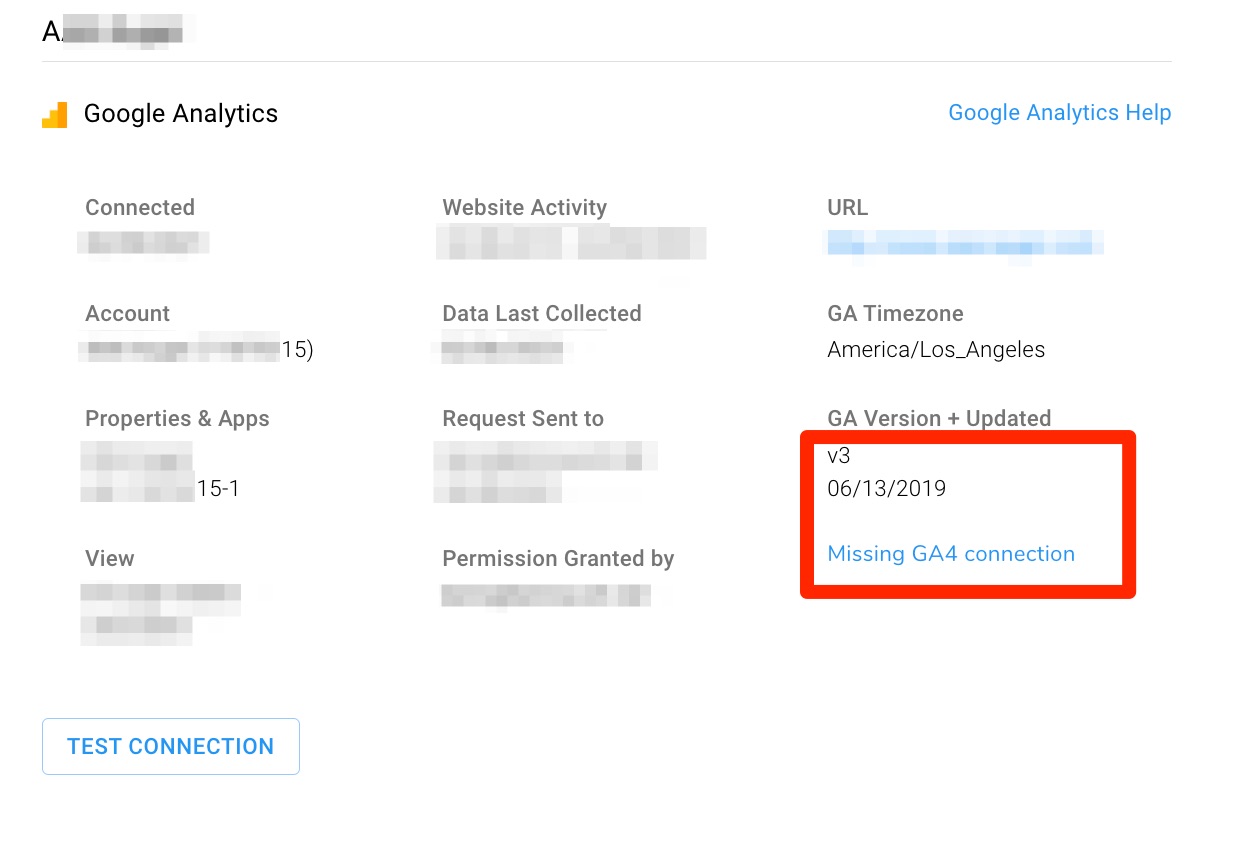
On the Google Analytics Connection Details, which is accessible from any existing campaign by clicking the megaphone icon next to the Advertiser name, you'll see the Google Analytics version number. V3 refers to Universal Analytics (UA) and indicates the Advertiser needs to add a GA4 connection. An alert also appears to assist users stating, "Missing GA4 connection." Click on this "Missing GA4 connection" text to quickly send an invite to your advertiser to connect a Google GA4 tag to Attribute.
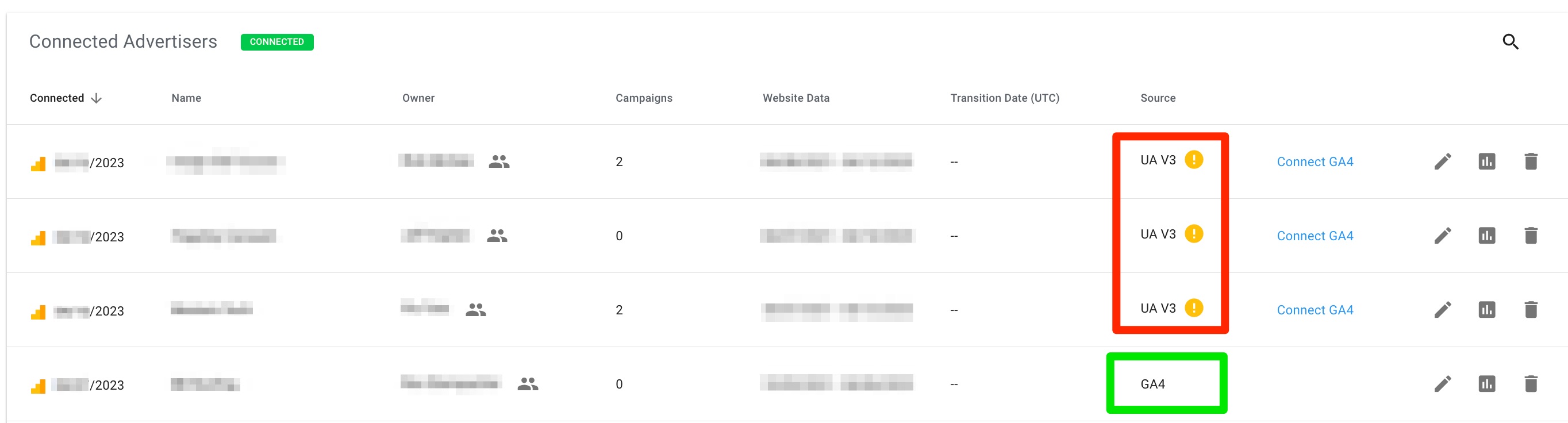
The Google Analytics connection hub now lives within the Manage Connections page, where you can also see the Source and status of each Connected Advertiser. Advertisers utilizing the older, UA / V3 version of Google Analytics appear with an exclamation point icon. This highlights the Advertiser need to be updated by adding a GA4 connection. From this page, you can also click on the "Connect GA4" text to send a new GA4 Invite to Connect to your Advertiser, prompting them to add their newer GA4 tag.
By default, these advertisers will be assigned a Transition Date to indicate when the old UA connection will instead default to the new GA4 connection. This is auto-assigned as the 1st of the month following the new connection being connected. For example, if a GA4 connection is made today on April 27, 2023, then the auto-assigned GA4 Transition Date will be on May 1st.
The transition date can be edited from the Connections tab at any time. Steps to adjust this transition date are available here: Edit Advertiser GA4 Data Transition Date. This will require re-processing for any campaigns that cross the time period between the old and new date, so please be patient while this occurs.
For these existing Advertisers adding a GA4 connection, you may want to edit the auto-assigned Transition Date to July 1, 2023. This ensures that all existing reports and data points are available until Google officially sunsets UA on July 1. More information on this is available here: How to Continue with the UA Campaign Dashboard
Existing Reports
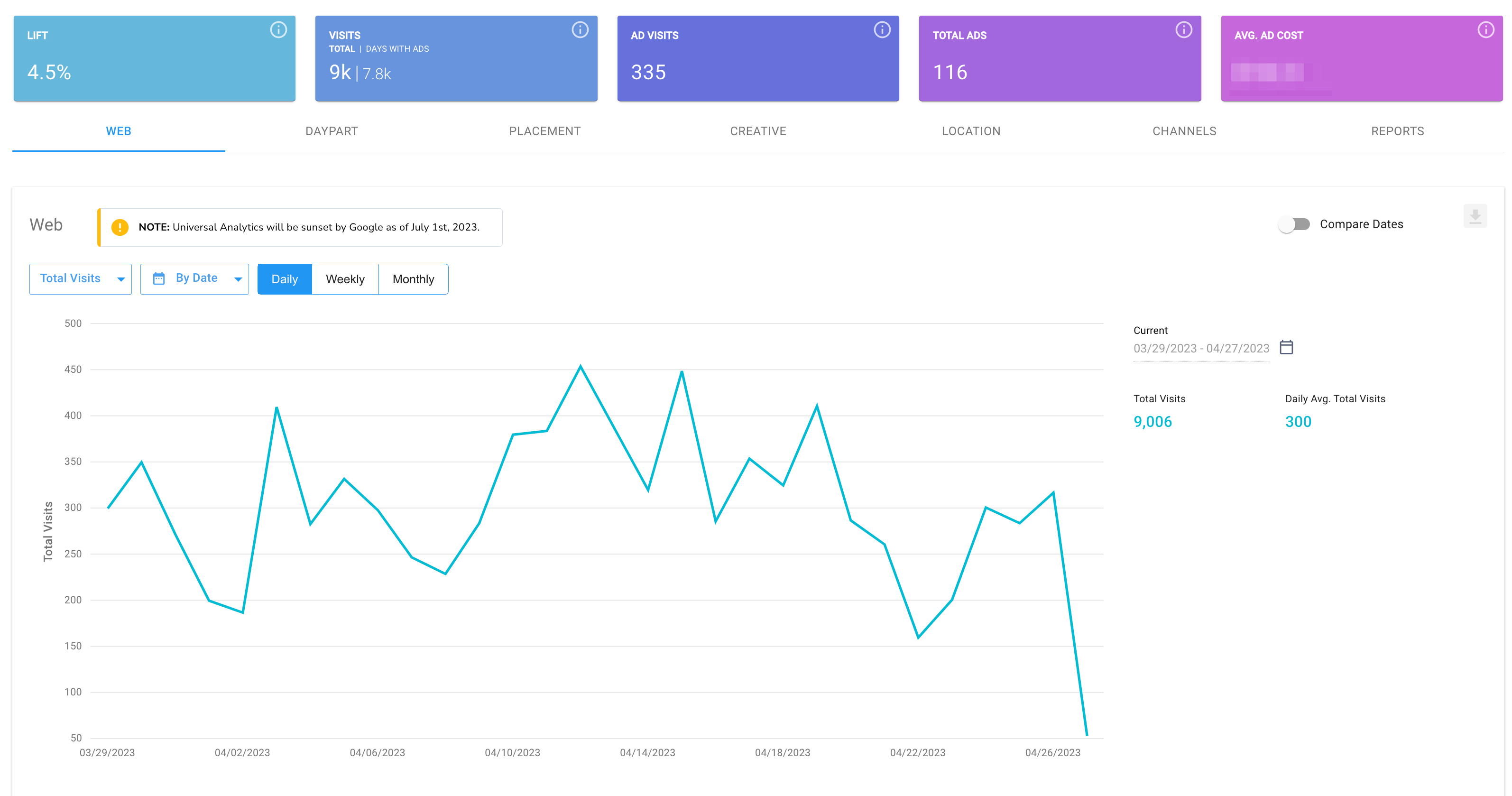
Overall, Attribute will continue to successfully capture Lift through GA4 tags, but we have made some changes to the original Campaign Dashboard and therefore reports. Due to changes Google has implemented to the way web data is captured and then available to partners such as Veritone, edits were made to dashboard and reports to maintain compatibility. A full list of these changes are available here: How to Navigate the GA4 Campaign Dashboard. Please note that changes will also be present in both the dashboard as well as in any subsequent downloaded reports.
For Advertisers who have both a UA and GA4 tag connected, Campaigns spanning a time period where both tags (and therefore both UA and GA4 web data) are live will display the Campaign Dashboard dynamically. This is dependent on the date range of the Campaign correlated to July 1, 2023 and/or the Transition Date assigned. For a full summary of how to navigate the dynamic Campaign Dashboard for Campaigns that span a data transition, please check out this article: UA+GA4 Advertisers: Navigate the Dynamic Campaign Dashboard
As always, we welcome your feedback and questions either to Support@veritone.com or to your organization's Customer Success Manager.


