When facebox detects a face, it returns a rectangle object that looks like this:
"rect": {
  "top": 38,
  "left": 527,
  "width": 75,
  "height": 75
}
top - (int) The distance of the face from the top of the image (Y axis)left - (int) The distance of the face from the left of the image (X axis)width - (int) How wide the face is (pixels)height - (int) How high the face is (pixels)
Rendering the face with CSS
To render the face in CSS, set the original image as the background image of an element like <div>, and apply the following CSS:
element {
  width: {rect.width}px;
  height: {rect.height}px;
  backgroundPosition: -{rect.left}px -{rect.top}px;
}
- The
backgroundPosition is essentially moving the background image such that the top/left of the element aligns with the top/left of the rectangle
In jQuery, it might look like this:
$('element').css({
  width: rect.width,
  height: rect.height,
  backgroundPosition: '-'+rect.left+'px -'+rect.top+'px'
})
If you want to overlay the face element onto the original image, make both images position: absolute and add a margin to the face element:
element {
  position: absolute;
  width: {rect.width}px;
  height: {rect.height}px;
  backgroundPosition: -{rect.left}px -{rect.top}px;

  marginTop: {rect.top};
  marginLeft: {rect.left};
}
In jQuery:
$('element').css({
  position: 'absolute',
  width: rect.width,
  height: rect.height,
  backgroundPosition: '-'+rect.left+'px -'+rect.top+'px',

  marginTop: rect.top,
  marginLeft: rect.left
})
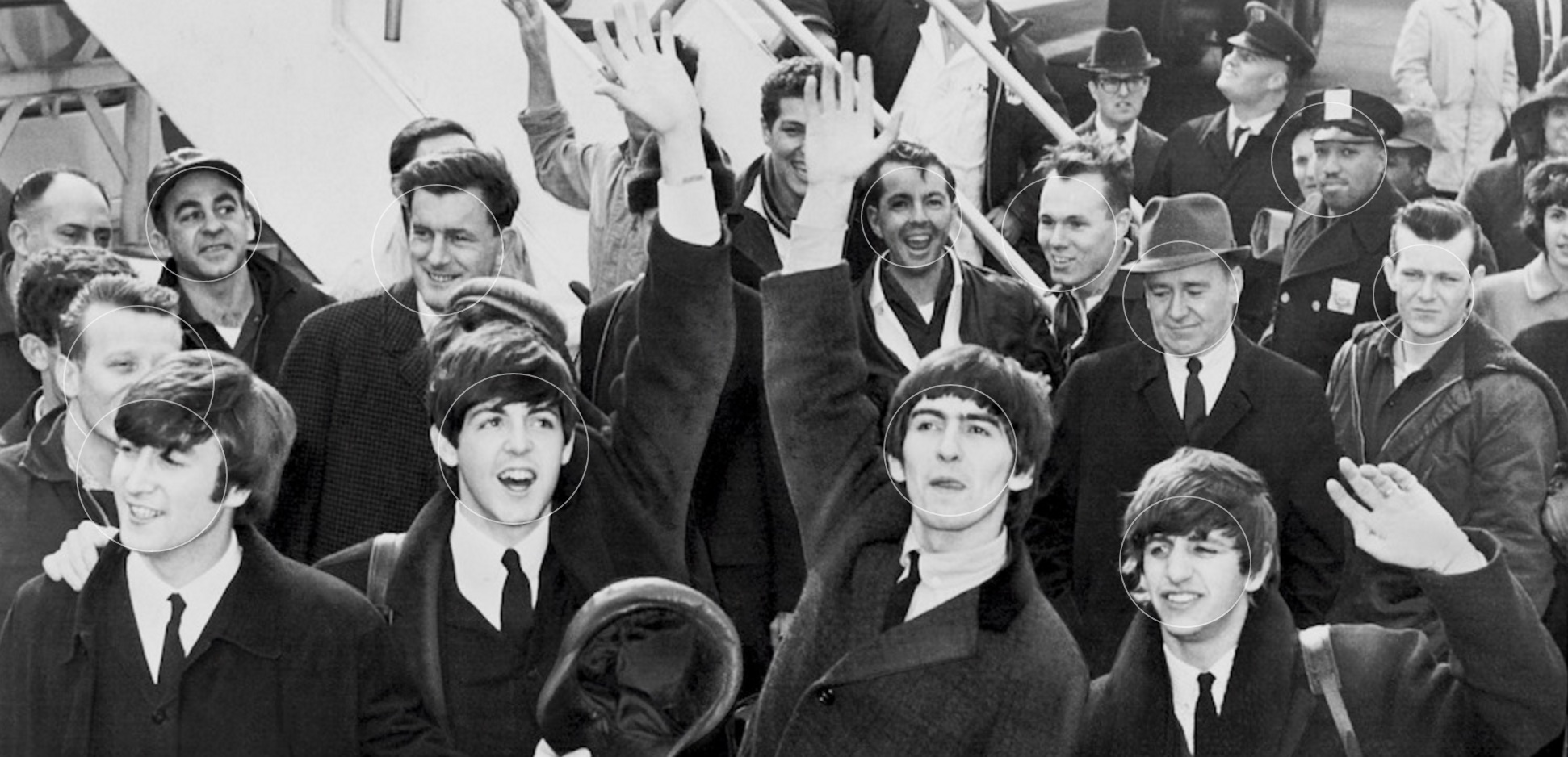
This allows you to build an experience where each detected face has its own element which can be distinctly styled like in the example below:
You can see this working for real by accessing the Live demo when you have facebox running locally.



