Data registries in the Data Center utility contain a list of all the structured data for your organization. Structured data is data that resides in a recognizable structure, like relational databases and spreadsheets. Some examples of what structured data can be used for in aiWARE are:
- Searching for specific ads or keywords in broadcast media transcripts.
- Correlating ratings data with brand mentions.
- Appending technical information such as frame rate, aspect ratio, and encoding format to video files.
Data registries are created automatically when a new schema is created. Each data registry is essentially a container object that holds one or more versions of a schema. Schemas are frameworks that specify a definition for structured data. They are written in JSON schema format. Each version of a schema contains structured data objects (SDOs) that have been imported from a source and that adhere to the schema’s rules. A hierarchical view of data registries, schemas, and SDOs looks like this:
- Data Registry Presidential Addresses
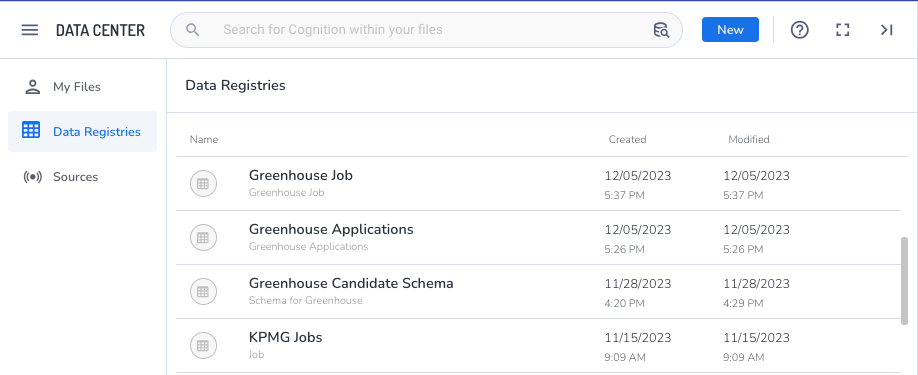
Use the Data Registries section of the Data Center utility to access your organization’s data registries, schema versions, and associated SDOs.
Access Data Center
To open Data Center, click the utility icon  . Select the Data Center folder icon
  . The Data Center panel slides out.
View structured data
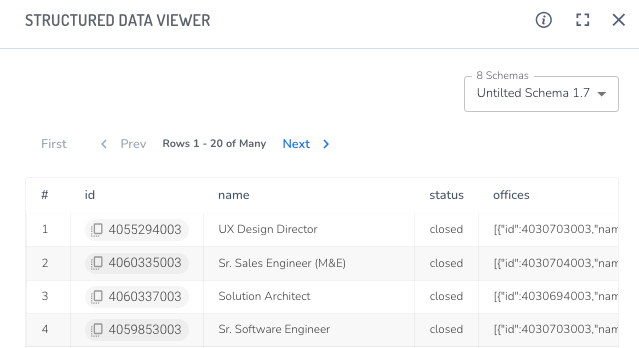
Each row in the table is an SDO that was ingested from a source.
- Click on an ID to copy the SDO’s ID to the clipboard.
- To view other versions of the schema, select one from the Schemas pulldown.
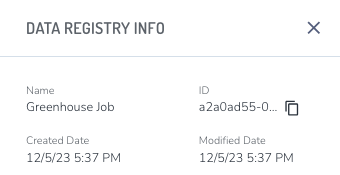
[Tip]To view additional information about a data registry, click the info icon  at the top of the Structured Data Viewer panel. Click on the ID of the data registry to copy it to the clipboard.