Salesforce

Attribute Pixel: Google Tag Manager Validation

« Go Back
Information
Attribute Pixel: Google Tag Manager Validation
000004816
Public
Product Selection
Commercial - Attribute
Article Details

To help us better assist you and expedite troubleshooting for installing the pixel, please provide us with the following three screenshots of the advertiser’s GTM environment. Screenshot examples are listed below. 

Note: Please see this guide for the complete instructions to create and install the pixel using Google Tag Manager.

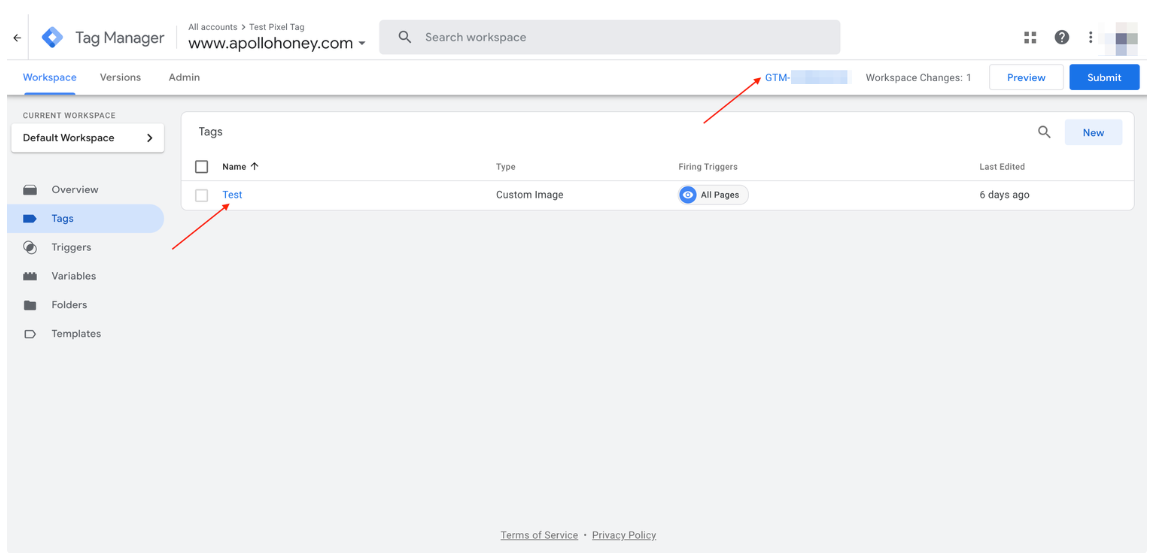
Screenshot 1: Displays the tag name and the GTM code
Screenshot 2: Displays the Tag Configuration

The tag should have the following configurations:
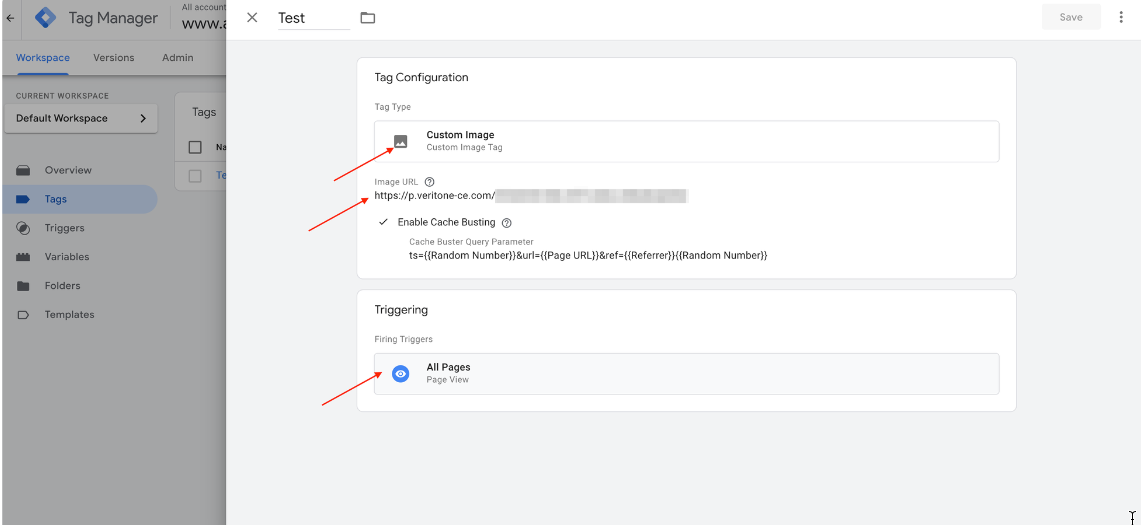
  • Tag Type: Custom Image
  • Image URL: must match the Attribute Pixel URL from your email invite to join Veritone Attribute
  • Enable Cache Busting: is checked
  • Cache Busting Query Parameter: must match this string: 
    ts={{Random Number}}&url={{Page URL}}&ref={{Referrer}}
  •  Triggering: must be set to All Pages and Page View


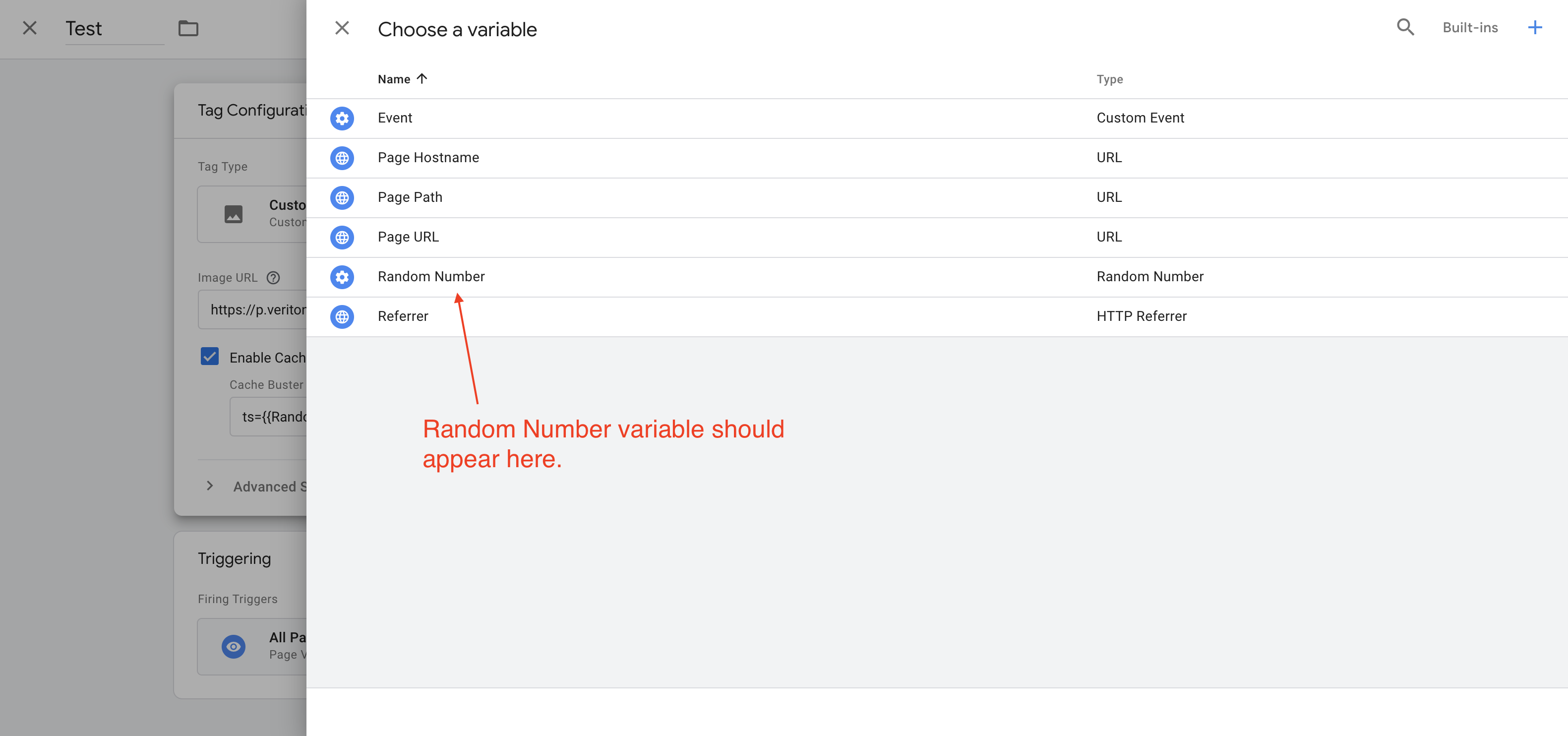
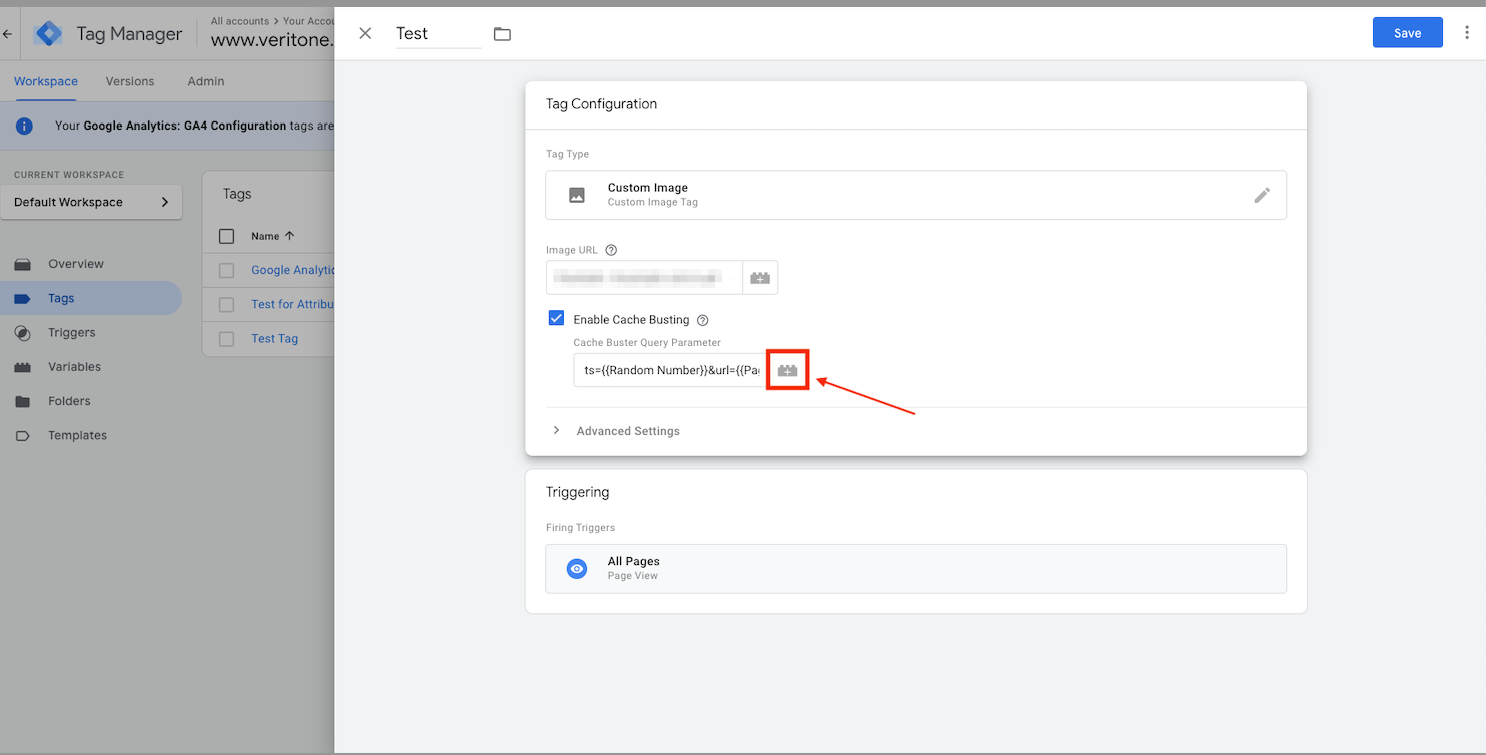
Screenshot 3: Display Random Number built-in variable was added


Additional Technical Documentation Information
Properties
5/2/2024 9:35 PM
5/2/2024 10:17 PM
5/2/2024 10:17 PM
Documentation
Documentation
000004816
Translation Information
English

Powered by