Key Features
Updated Viewers Experience
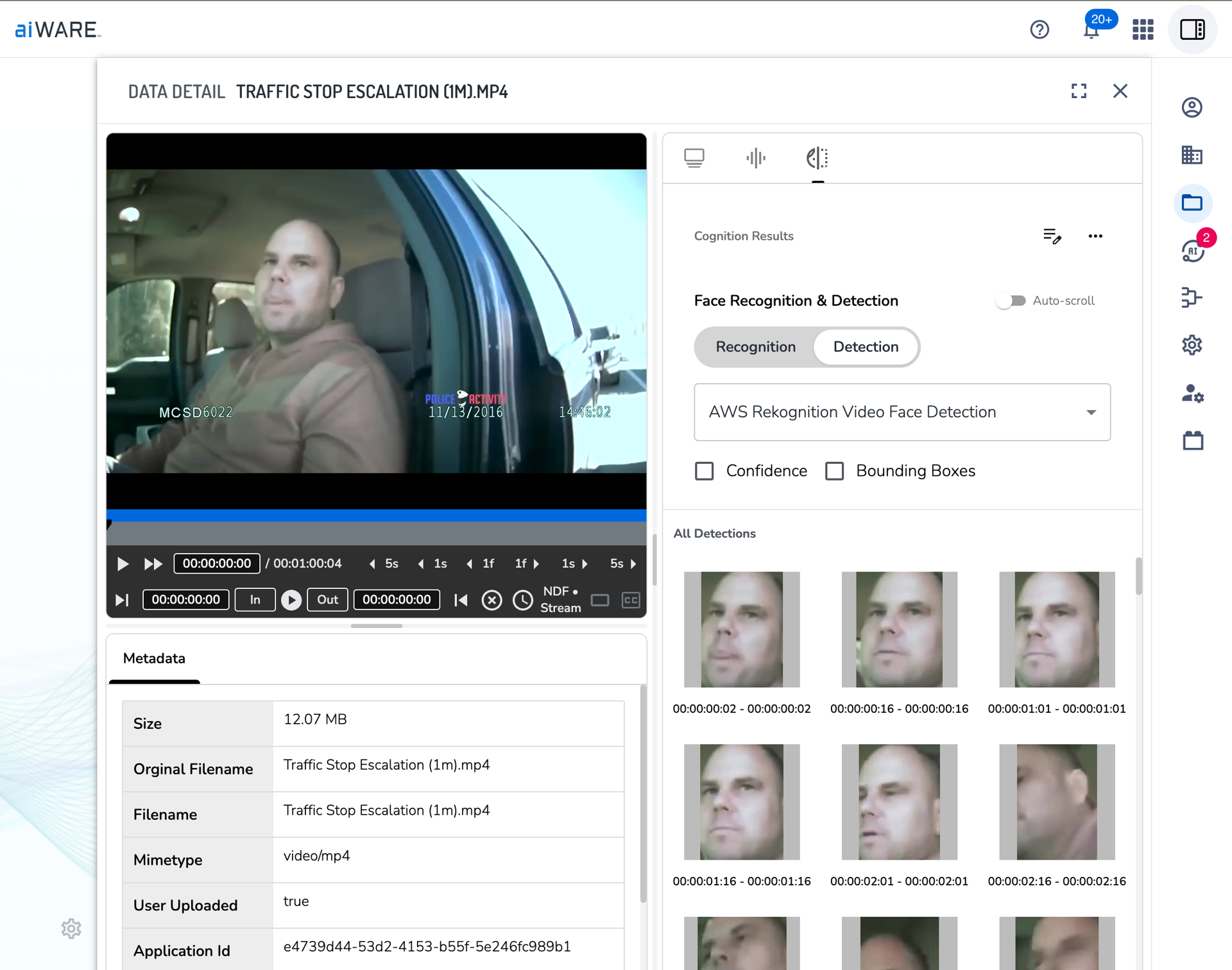
Available for some time through some of our other applications, today we’re finally switching over Data Center to natively use the new aiWARE viewers experience. This is only the first step in the rollout of these viewers, with plenty more planned to come in the future. For now, these viewers only support transcription and facial cognition panels, but we’re actively working on extending that list as quickly as possible. For users who need access to the functionality in legacy data center, you can still find that functionality in the standalone Data Center application, available in the app switcher for your organization if it’s enabled. If you don’t have access to it, please reach out to your administrator and ask for access.
Bulk Schedule Creator
Newly released is the aiWARE Bulk Scheduler. This tool is intended to simplify the process of creating large numbers of scheduled jobs at once. You can find this new tool in Data Center → Sources → New → Bulk Scheduler
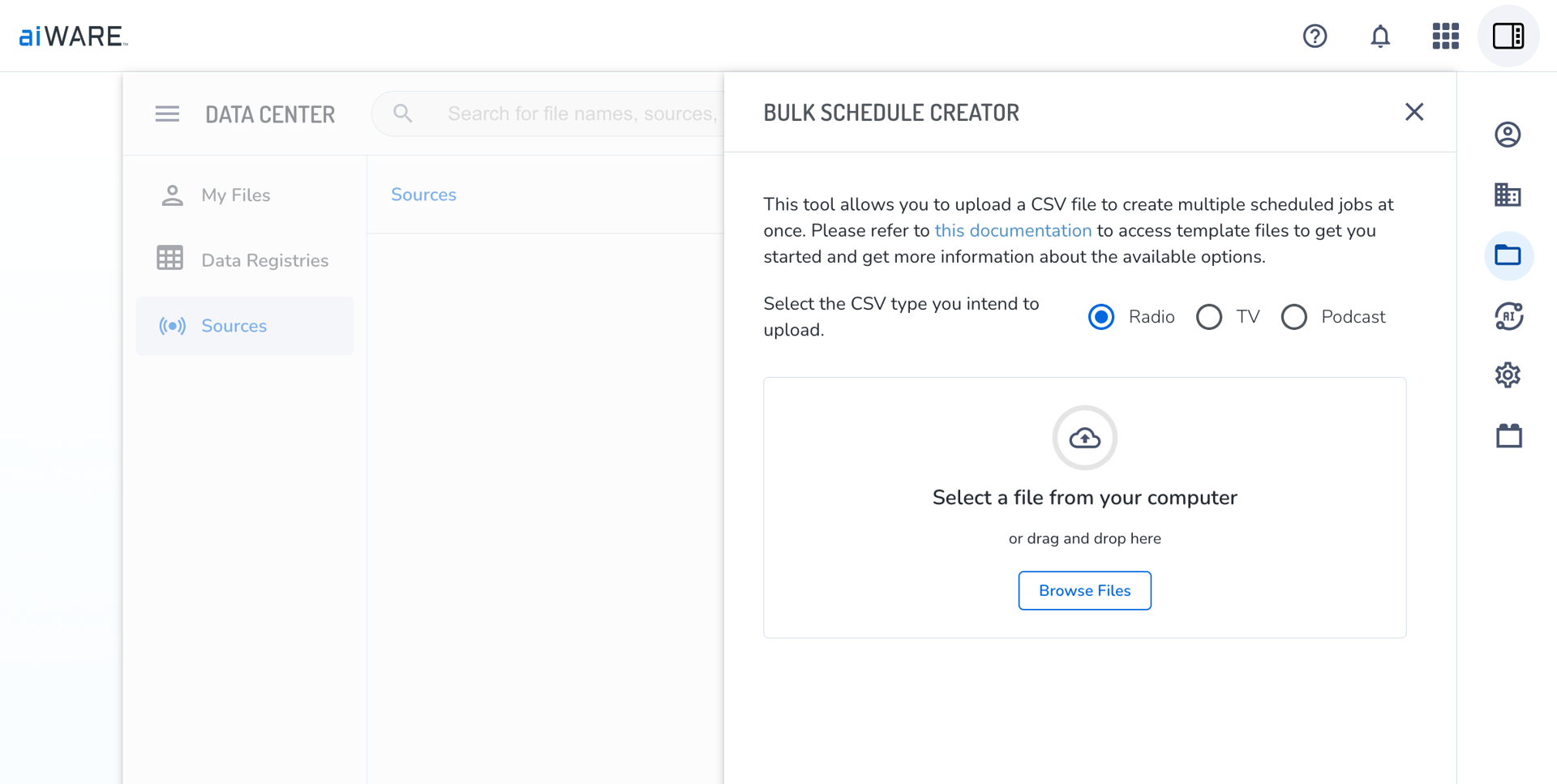
Full instructions on its use can be found here: Support
We’re happy to announce an improvement to the upload widget to allow application that utilize it to have greater control over acceptable file types. Now, when mounting the panel, you can use a new config variable called allowedFileTypes:
-
If allowedFileTypes is provided → validate against the provided list
-
If allowedFileTypes is NOT provided → validate our default list
-
If allowedFileTypes is * or ["*"], -> skip validation
Admin Seat Limit Removed
We have removed the “Admin Seat Limit” feature from aiWARE. The “User Seat Limit” remains, and is unchanged. This change is intended to simplify the management of seat limits for Organizations and Admins that use this feature.
aiWare Updates
-
Processing Updates
-
Enhanced support for ingest of continuous SRT streams. Processing metrics are available via a per instance dashboard showing ingest service uptime, count of ingested segments, schedule job status.
-
When importing a package via the CLI tool, the import command supports defining a source domain. When defined, any resource references to the source domain will be updated to align with the target environment domain. This better supports export from non-Prod instances.
-
API Updates
-
Deprecated internal usage of appName and key for resolving applications within users and organizations. Roles will now be grouped by application.id instead - there should be no external differences from this change, but it does resolve some bugs around visibility of custom application roles in certain circumstances
-
Improved handling of creating or inviting users when the organization has already reached its seat limit; No users are created, no emails are sent, and appropriate errors are returned instead
-
Removed deprecated Qlik-related admin API endpoints and associated application
-
Improved consistency of handling OLP checks during search if the user has the AIWARE_TDO_READ permission
-
Fixed bug preventing user from accessing Automate flow revisions in an OLP organization
-
Fixed bug with setting the recording_inserted event on the public NSQ topic when all assets of a TDO have been queued for indexing
-
Fixed bug caused by a race condition involving the recording_completed event during createTDOWithAsset that prevented proper indexing of the new asset
-
Fixed bug causing moved TDOs to not properly inherit ACL permissions from their destination folder
-
Fixed bug with media streamer returning a shorter than expected audio file when a mention overlaps two TDOs
-
Added extra logic to prevent Instance Admins from accessing deprecated legacy Admin application if they don’t have an explicit role to that application
-
Fixed minor bug that caused 500 error when a user accessed an org with a default first load application that was no longer available
-
Audit Logs
-
Updated the audit log event name for LibraryTrainingComplete to now be LibraryTrain (note: all existing data is maintained)
-
Improved audit log descriptions and CI tests for the following events: IntegrationSettings, Unknown, AccessMedia, LibraryTrain, SendEmail
-
UI Updates
-
Updated UI to consistently disable the background behind a panel when that background was not intended to be interactable
-
Improved messaging on data lifecycle page
-
Fixed bug that caused issues during registration if the organization had a custom ToS document
-
Fixed bug preventing submission of organization-level system settings for an instance admin if some key fields were blank
-
Fixed bug preventing the transcript editor panel from going fullscreen
-
Solved race condition that would cause some files to not be properly uploaded when uploading multiple files
-
Fixed bug that only showed the first package when filtering on packages with no primary resource assigned
-
Fixed bug preventing a package from being granted to a new org during creation if that package did not have a primary resource assigned
-
Engines



