In this Article
Overview
Veritone Redact’s file statuses give agencies visibility on where a file is within their specific workflow. The statuses available are To Do, Draft, Pending Review, Correction Needed, and Complete. By default all new files are in the To Do status. Redact’s statuses can be disabled/enabled according to your agency’s need.
Updating Redaction Statuses
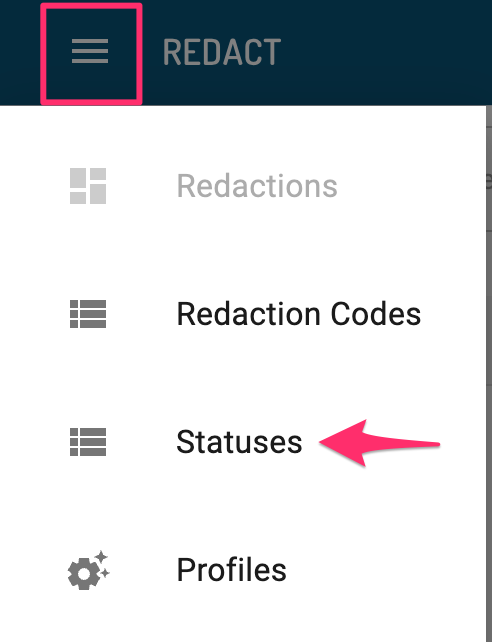
1. From the Redact Homepage, navigate to the Hamburger menu in the upper left corner, and select “Statuses.”
2. On the Redaction Statuses page, you will see the list of statuses available in Redact.
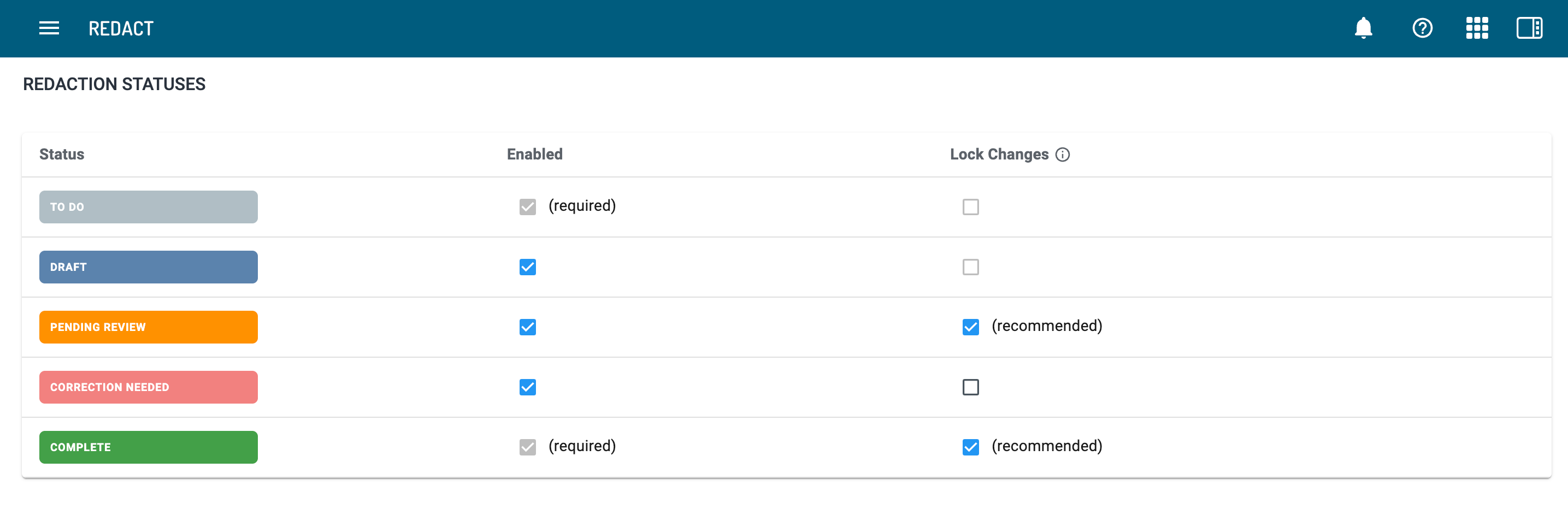
Use the checkboxes beneath “Enabled” to enable or disable a specific status. To Do and Complete are required and cannot be disabled.
Use the checkboxes beneath “Lock Changes” to prevent edits when a file is in a specific status. Comments are still enabled when this is selected. By default, this is enabled on the Pending Review and Completed statues to prevent accidental changes during review or once the file has been redacted. These can be disabled if desired. Files in the To Do or Draft statuses cannot be locked.