In This Article
- Video Tutorial: Redaction Reports
- How to download your redaction report
- Breakdown of your redaction report
Overview
Redact’s Redaction Report provides a summary of final redactions applied to a video or audio file. This .csv file includes the redactions on your file, at the time of download, including specific details about each redaction.
Video Tutorial
How to Download Your Redaction Report
1. Once you have saved your redaction work, select the arrow button to the right of the Redact File button.
2. From the menu, select “Download Redaction Report”
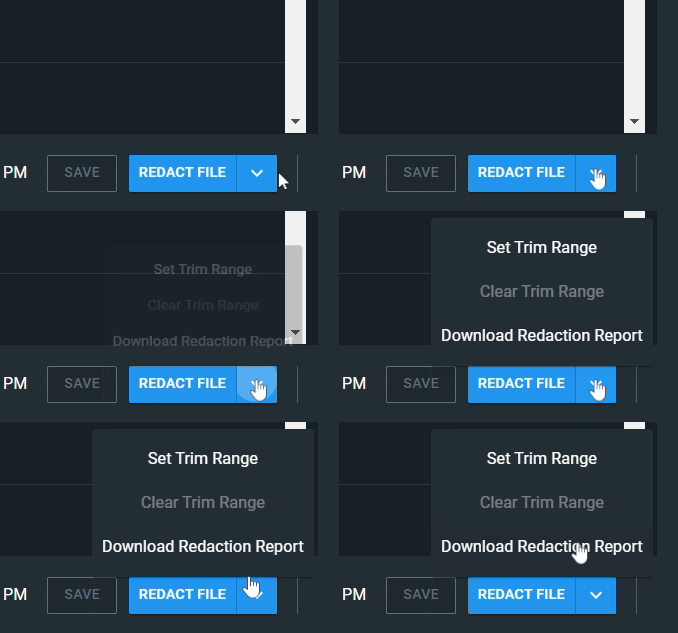
3. The .csv file will download directly to your local machine.
Breakdown of the Redaction Report
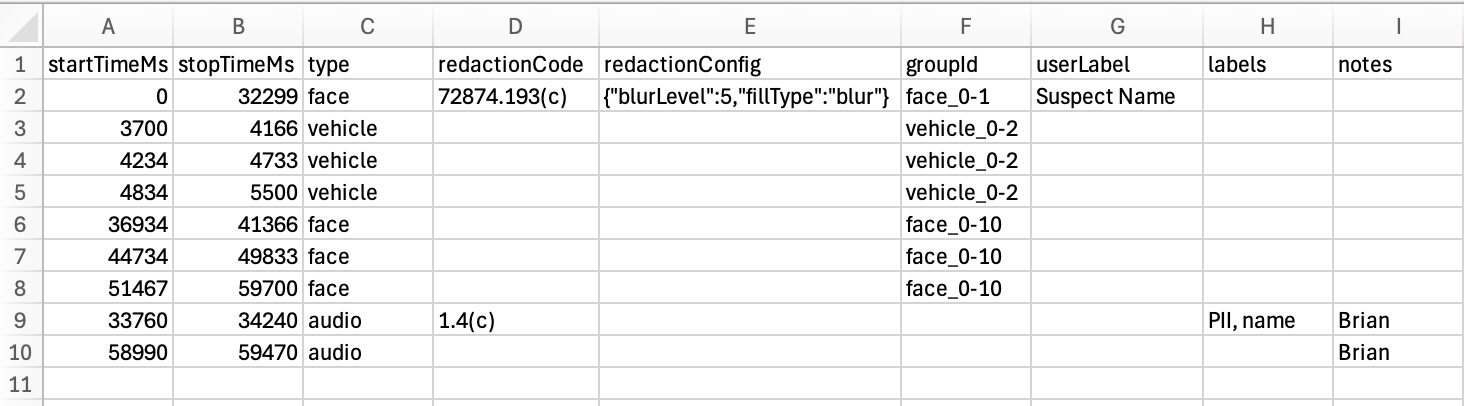
|
value
|
description
|
notes
|
|
startTimeMs
|
Start time in milliseconds
|
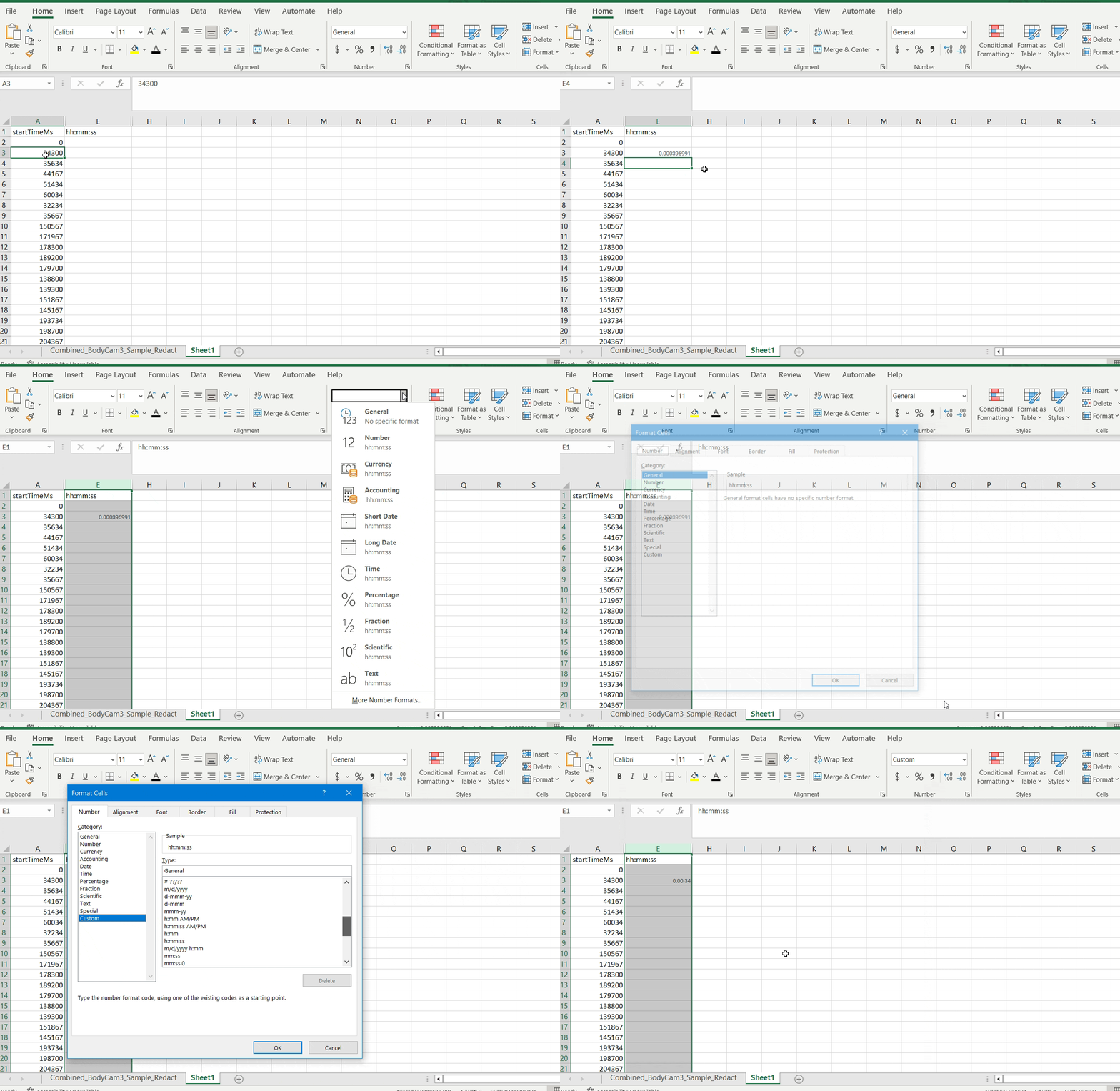
This can be converted to a HH:MM:SS format using a formula in excel plus formatting.
-
Insert this formula into a blank cell next to your value: =(A2/1000/3600)*"01:00:00"
-
Find the Formal Cells dropdown > select More Number Formats > Custom > h:mm:ss
-
Autofill down your sheet as desired.
See below for example video.
|
|
stopTimeMs
|
Stop time in milliseconds
|
Same as above
|
|
type
|
Type of redaction: face, audio, UDR, etc
| |
|
redactionCode
|
Redaction Code applied to a specific redaction, if applicable
| |
|
redactionConfig
|
Shows details about the redaction effect applied to an individual redaction.
|
example: {"blurLevel":10,"fillType":"black_fill"}
|
|
groupId
|
Includes the label type, plus a reference to the grouping. Labels that are the same, are from the same group.
|
In this example, there are four redactions grouped for this head detection.
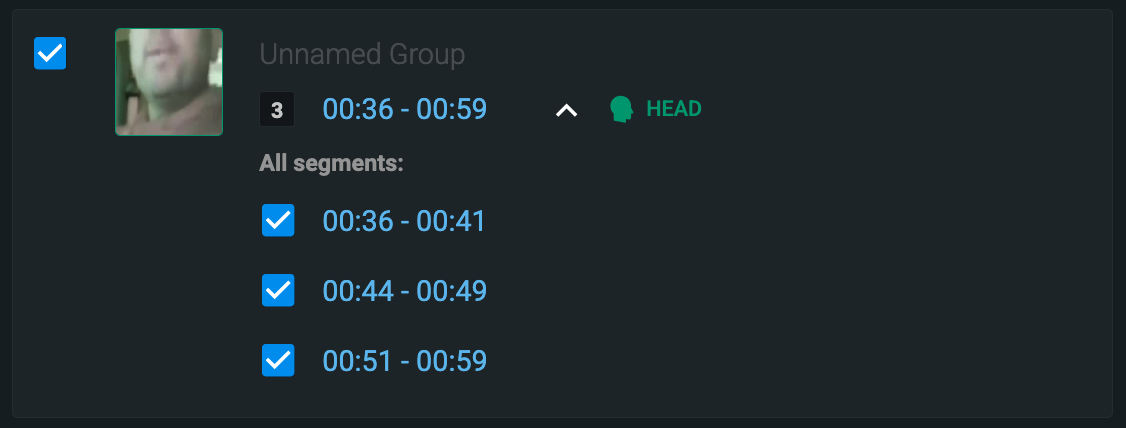
And this is represented in the csv file, shown above, as "face_0-10”
|
|
userLabel
|
Refers to a detection group name added by the user. If no label is added, this will be blank.
|
Unless a label is added, this will be blank. Labels for UDRs are pre-populated (ie Overlay Group 1) but can be manually updated as desired.
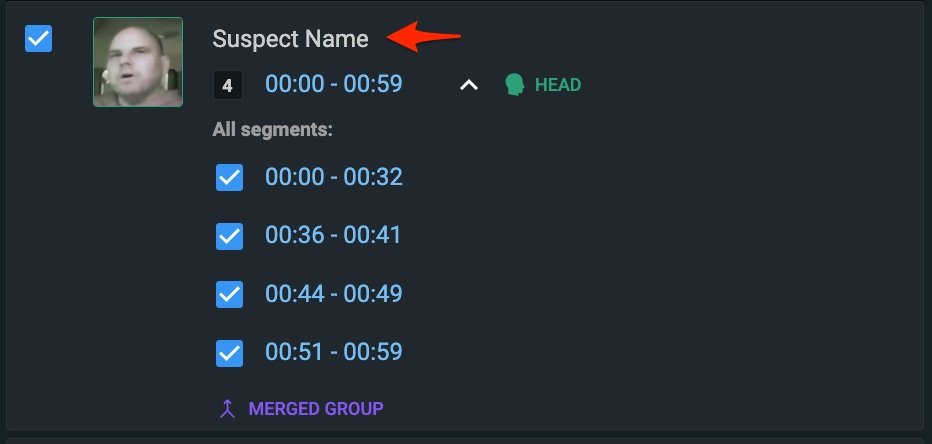
|
|
labels
|
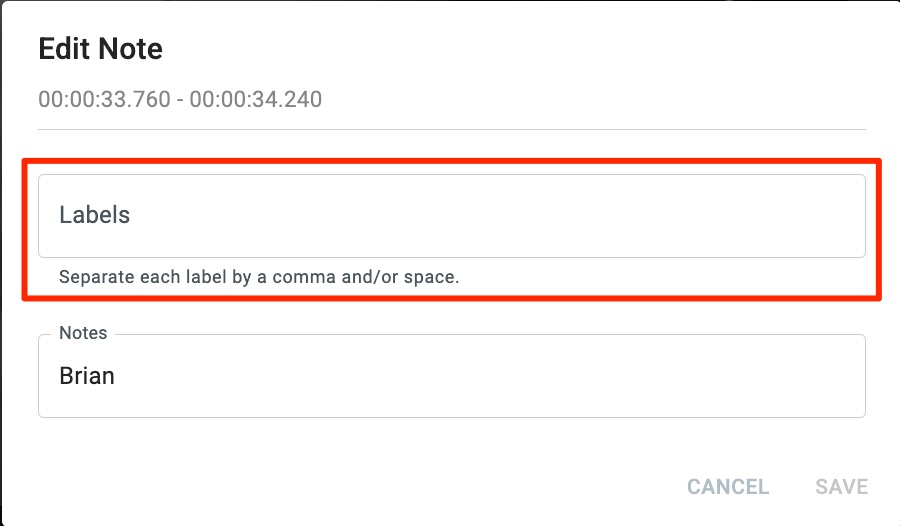
When editing a note on audio redactions, you can apply a text label.
|
|
|
notes
|
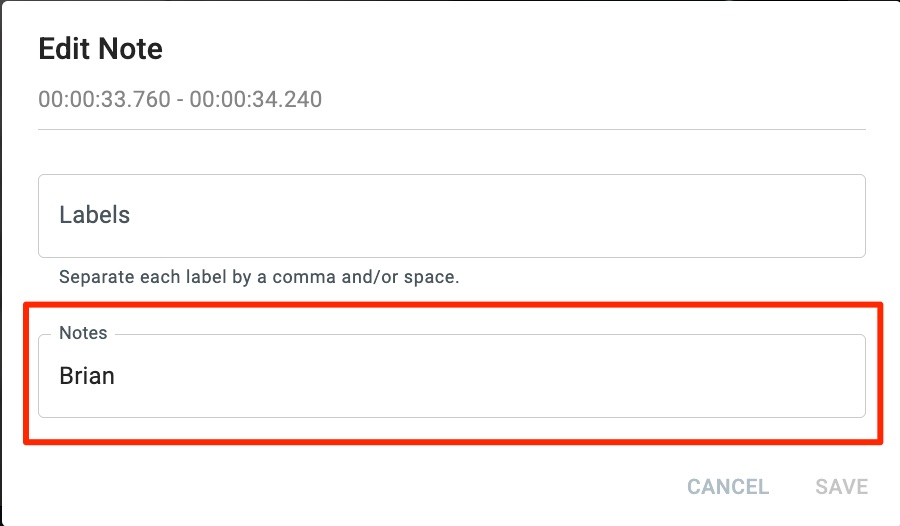
When editing a note on audio redactions, you can add notes. By default, this field will include the text that is being redacted.
|
|
**Example of MS to HH:MM:SS conversion
If you have any questions about redaction reports, contact the Veritone Support team at Support@veritone.com.


