All flows have either one of two states: active or not active. A flow is active only if it has a deployed revision, which means it has a deployed build too. Each flow can only have one revision deployed at a time.
To deploy a flow:
- In Automate Studio, open the flow you want to deploy.
- In the toolbar of the Automate Studio flow editor, click either the blue Deploy button or File > Deploy.
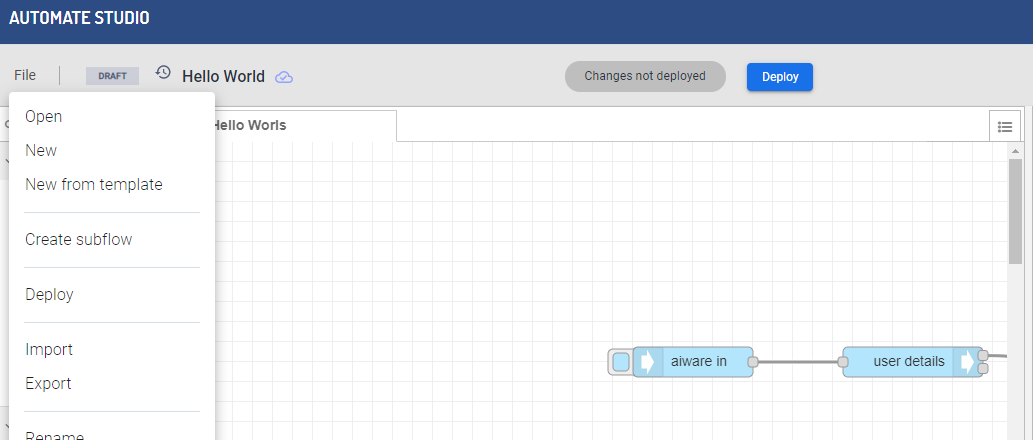
The deployed revision becomes active and is marked as Deployed in the Revisions list of the flow details window. The active (published) flow is now available to everyone via HTTP or as a job.



