Hub users who have the role of owner for the owner organization can update the version of aiWARE running on an instance. The instance can be updated to a newer version, or reverted to an older version.
[Warn] Changing the version can interrupt aiWARE services while the update is in progress. For all-in-one (small) instances, all services will be interrupted until the version change is complete. Version changes should be done during periods of least use.
Before you begin
- In order to change the aiWARE version, the Hub Agent Setting for Update aiWARE version from Hub Central must be enabled for the instance. For instructions, see Edit Hub instance settings.
Steps
- Select an instance in the aiWARE Instances table.
The Instance Detail panel opens.
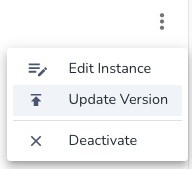
- Click the three dots in the upper right and select Update Version.
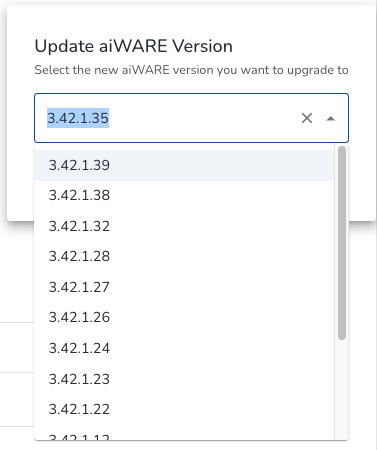
- Select a version from the list and click Submit.
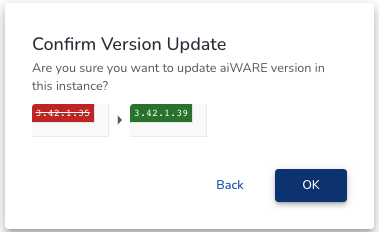
- Click OK on the confirmation.
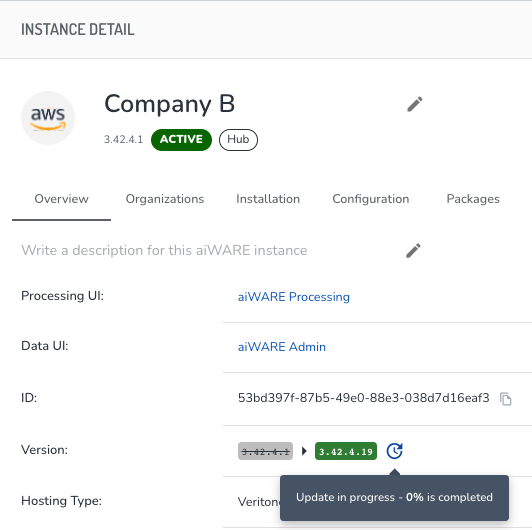
To see the updating progress, refresh the page by using the refresh button  on the top right and then hover over the updating icon
  .
.