Incorporating applications into the aiWARE operating system enables users to create custom opportunities to extend aiWARE into specific business use. Common use cases include adding intelligent features to an existing application like Salesforce, where adding AI insight can help business use.
Create an applications through the Resource Center utility.
Create a new application
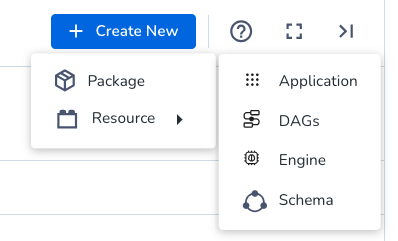
- To access the Resource Center utility, log in to your aiWARE administrative account, and from the header bar, select
 and then Resource Center
  . Resource Center slides out as a panel.
 - Choose Resources > Application. The New App Onboarding panel slides out.
There are seven steps in the wizard.
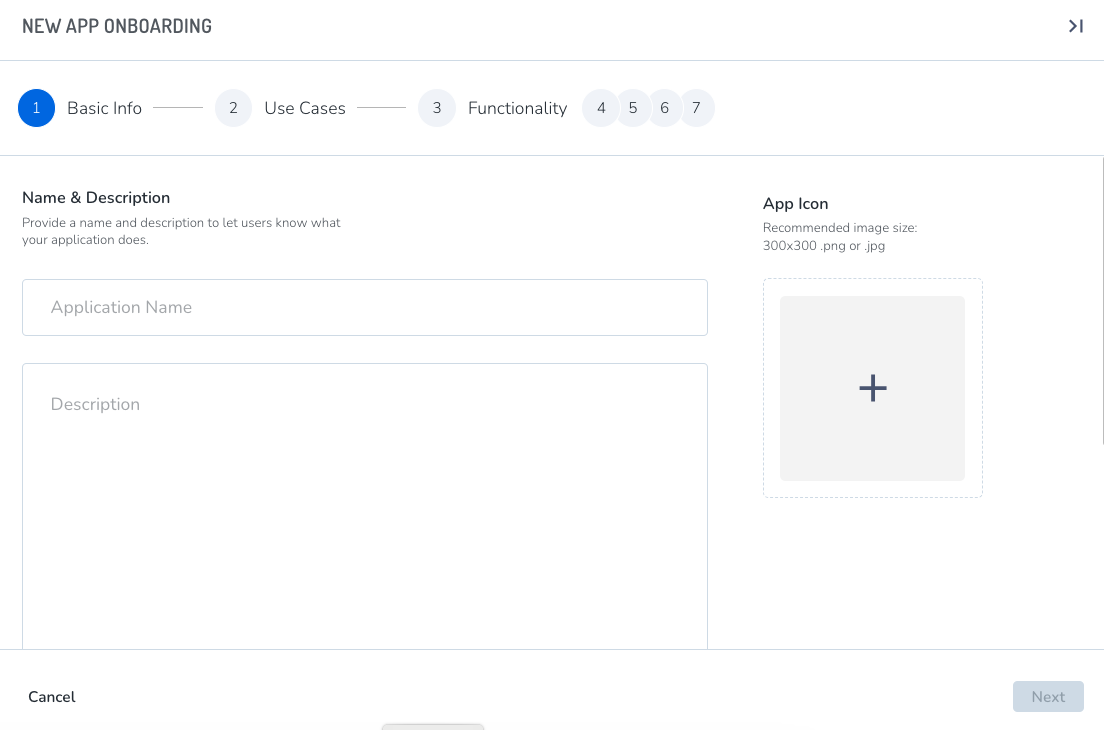
Step 1: Basic info
Add a name and description. Adding intended use cases in the description field is recommended. Icons are optional. If no icon is added, a default Veritone icon will be used.
Separate tags by pressing enter. Tags make it easy to filter applications later.
Step 2: Use cases (optional)
Enter your use cases for this application in markdown, which will help distinguish it for use later.
Step 3: Functionality (optional)
Application types may be web applications (in which case, add an application URL), or headless. Headless apps have no front-end UI.
Step 4: Headerbar (optional)
Headerbars can be turned on in future iterations.
Step 5: Authentication
You can require your application to incorporate authentication. See OAuth2 authentication and authorization for more information.
Step 6: Application roles (optional)
Step 7: Review
Review your information and click Submit.
Edit an application
In Resource Center, click Resources and choose the Applications tab.

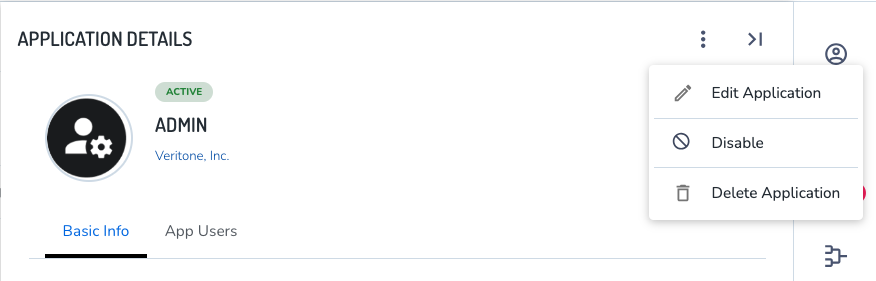
Click the application to edit. The Application Details panel slides out.
Here, click the  icon to edit, disable/enable, or delete the application.
Delete or disable an application
You can disable (and then enable) applications, or delete altogether. Follow the steps above that edit an application.
Terminology
| Term | Definition |
| Application | A collection of aiWARE resources needed for a given aiWARE solution. |
| Application configurations | A key/value pair used to store application configurations as a specified type, which can then be queried for by an application. |
| Complex applications | An application that contains additional containerized services for aiWARE to run for a solution. |
| Headless | A solution that has no frontend but may be leveraging application features such as events. Headless apps typically perform one thing and connects with other apps to build larger solutions. |
| Simple application | An application incorporated into aiWARE that runs additional services for a use case. |



