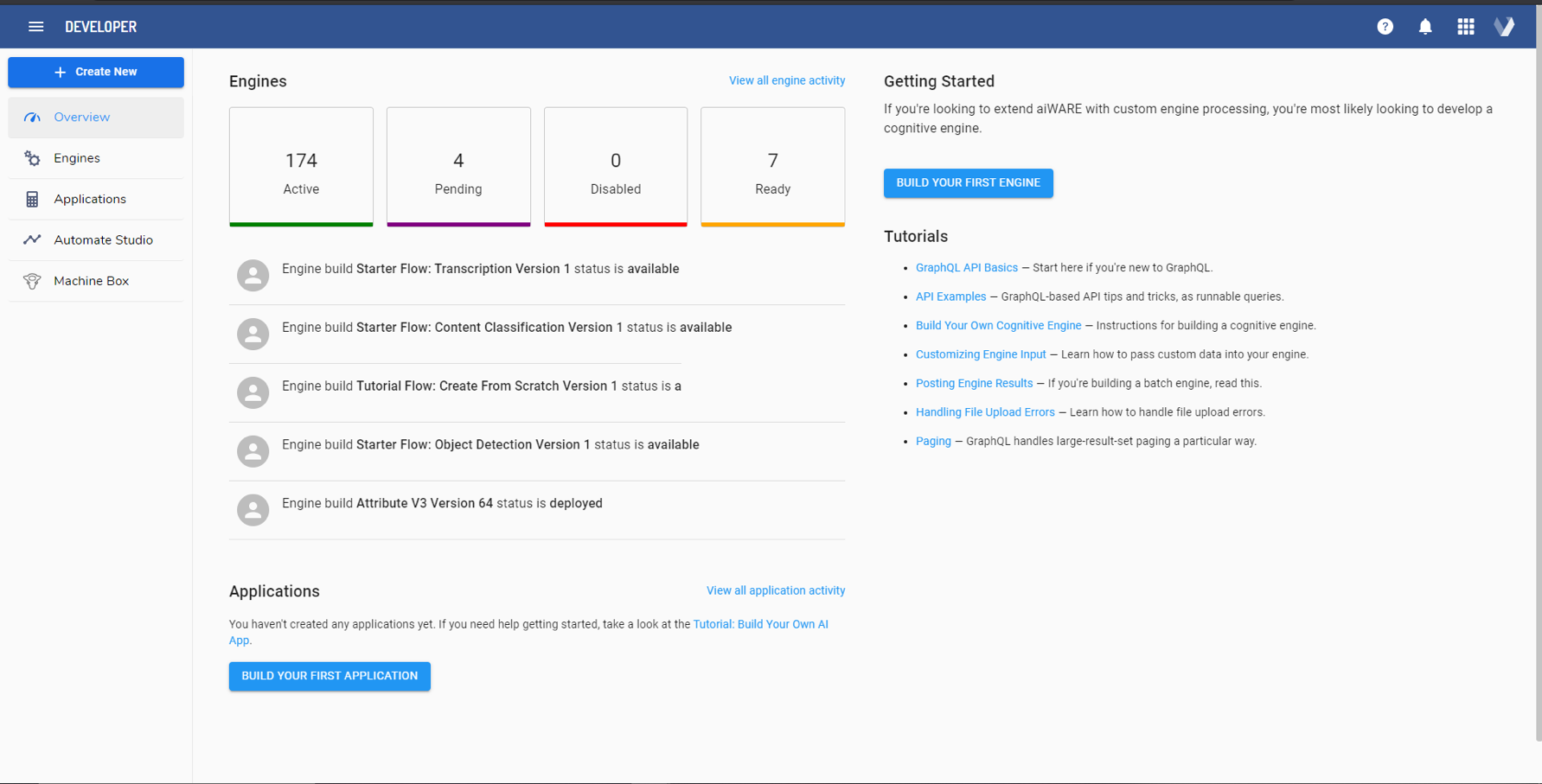
The Veritone Developer app allows you to build your own engines and schemas to extend aiWARE’s capabilities, or use any of the hundreds of pre-made engines and applications. This documentation provides an overview of Veritone Developer and what you can do in it.
Common use cases
|
Use case
|
Description
|
|
Create a custom engine
|
Developers can write cognition engines in their coding language of choice, and onboard that engine to the aiWARE OS using the Developer application.
|
|
Create a custom application
|
Developers can write their own applications that use aiWARE APIs to create new cognitive solutions.
|
|
Create a schema
|
Developers can create a schema to define structured data for ingestion, processing, and output.
|
|
Term
|
Definition
|
|
Application
|
In aiWARE, a bundle of software that can be installed into an organization and provisioned to users. An application usually has a URL, calls aiWARE's API, processes ingested data, and may define particular data structures through schemas.
|
|
Engine
|
An algorithm that takes some data in and outputs some insights or calculations regarding that data. Veritone has three main types of engines: cognition, aggregator, and ingestion.
|
|
Schema
|
A definition of the structure a piece of data must conform to. In aiWARE, schemas can be registered in Veritone Developer and are written using JSON.
|
Access Veritone Developer
To access Veritone Developer, log in to your aiWARE account, and from the header bar, select the application switcher  and then Developer
  .
.
Veritone Developer opens in a new tab.
Interface overview
The following options are available in the left sidebar:
- Overview: An overview page that provides the status of created engines and applications.
- Engines: A list of engines for your organization. This will include both private engines you have created as well as public engines available to your organization.
- Applications: A list of your organization's applications created using Veritone Developer.
- Automate Studio: Redirects you to the Automate Studio app where you can work with flows.
- Schema: A list of the schemas within your organization as well as shared schemas.
- Machine Box: Lists the features of Machine Box engines, a collection of easy-to-use cognitive engines.
- GraphQL Playground: Opens aiWARE's GraphQL-based API playground to access all of AI Data's job creation and data management capabilities.
Create New button
Selecting the Create New button offers the following options:
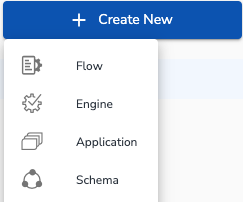
- Flow: A flow in aiWARE is a group of logically connected processing tasks called nodes. Flows are developed using Veritone's Automate Studio. When Flow is selected, Veritone's Automate Studio opens in a new tab.
- Engine: Register and deploy your own engine to the aiWARE ecosystem. Each engine has different analytical capabilities and is categorized based on the type of data analysis it performs.
- Application: An application uses aiWARE APIs to provide cognitive capabilities. Veritone's robust APIs provide a wide range of functions that can do the heavy lifting and allow you to focus on building creative and meaningful AI-based solutions.
- Schema: Register a new schema to provide information to properly ingest, store, and index your data. Indexing your data with well-defined fixed fields and structure allows the Veritone platform to easily process and transform a vast swath of the world's data to extract actionable intelligence.