You can choose from hundreds of available engines across various categories of cognition to process your data--audio, video, images, text, and more--at scale, and from multiple sources and formats.
Cognitive engines are categorized into engine classes based on the type of data that they analyze. Each engine in a class has a particular cognitive capability, which is based on its data output.
Browse engines
To get an understanding of the available cognition in aiWARE, view our hundreds of engines in the following categories.
[Note] Engines are available depending on your org permissions and settings.
- By cognitive class: engines listed by the type of data analyzed
- By capability: engines listed by the capability of each engine class
- By media type: engines that support your type of media (image, video, audio file, data file)
See engines in your org
See the available cognitive engines in Resource Center.
- To access the Resource Center utility, log in to your aiWARE administrative account, and from the header bar, select
 and then Resource Center
  . Resource Center slides out as a panel.
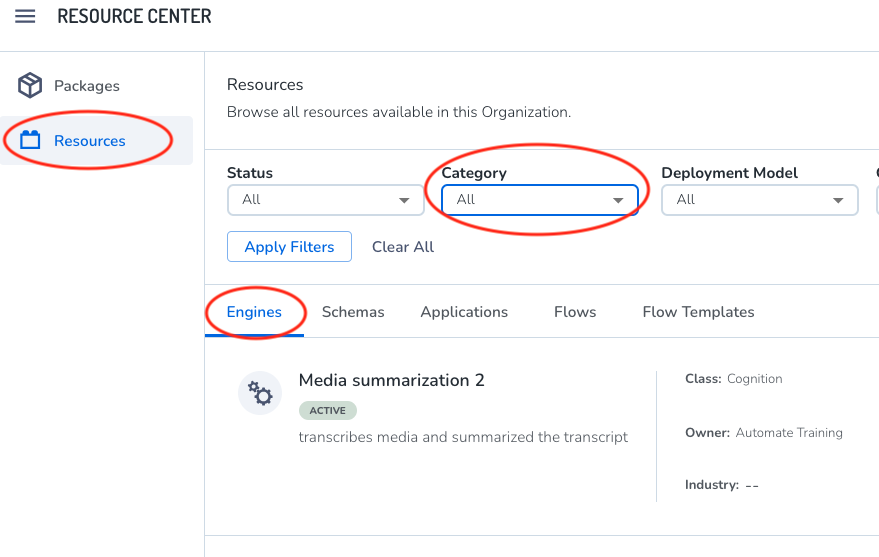
 - Click Resources > Engines. A list of the engines available in your organization appear. To sort this list by class or category, click Category.
- Click an engine to see its details. The engine details panel slides out.
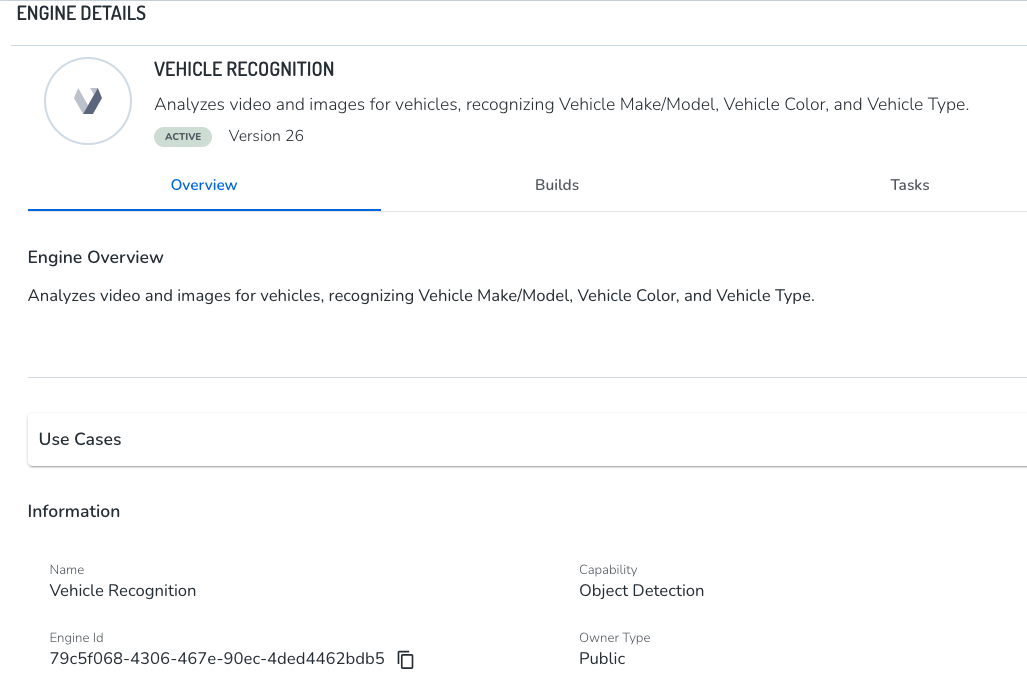
- Copy the engine ID if needed.



