As an administrator in your organization, you can approve packages for users of the organization. Any package created by a nonadministrative user will be placed in draft mode. For the package to be approved and moved into a published status for use by other users, you must first approve the package.
To manage packages (view, add, or revoke) as an Instance Admin, see Manage packages (Instance Admin Center).
[Note]Any package created by an Administrator will automatically be moved into an approved status.
To approve or reject packages:
In Admin Center, click Approvals. Any packages awaiting approval are listed.
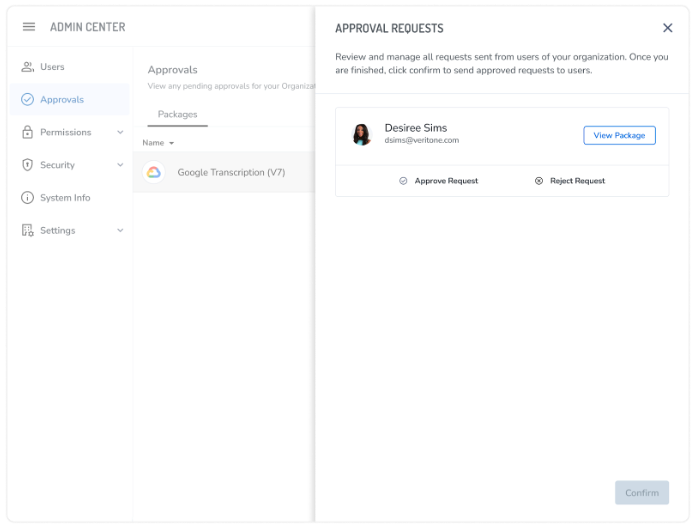
Click the package you would like to review which will open up the "Approval Request" panel. Approve or reject the package for use. To preview the package, click the View Package button on the card.
If the package is approved, it will be moved to an approved status, where the creator can now move the package into a published status when they wish.



