As an instance admin, you can manage the availability of packages for each organization within your instance. This gives users within an organization access to appropriate features and resources.
You can manage packages directly from the root organization in the Packages menu in the Instance Admin Center.
View packages for an organization
To view the packages enabled for a specific organization,
-
Navigate to the Instance Admin Center by logging in to your aiWARE administrative account. You will need a superuser account, which is only available to the root organization of each instance. From the header bar, select  and then Instance Admin Center
  . Instance Admin Center slides out as a panel.
-
Choose the All Orgs menu and locate and select the organization you want to modify.
-
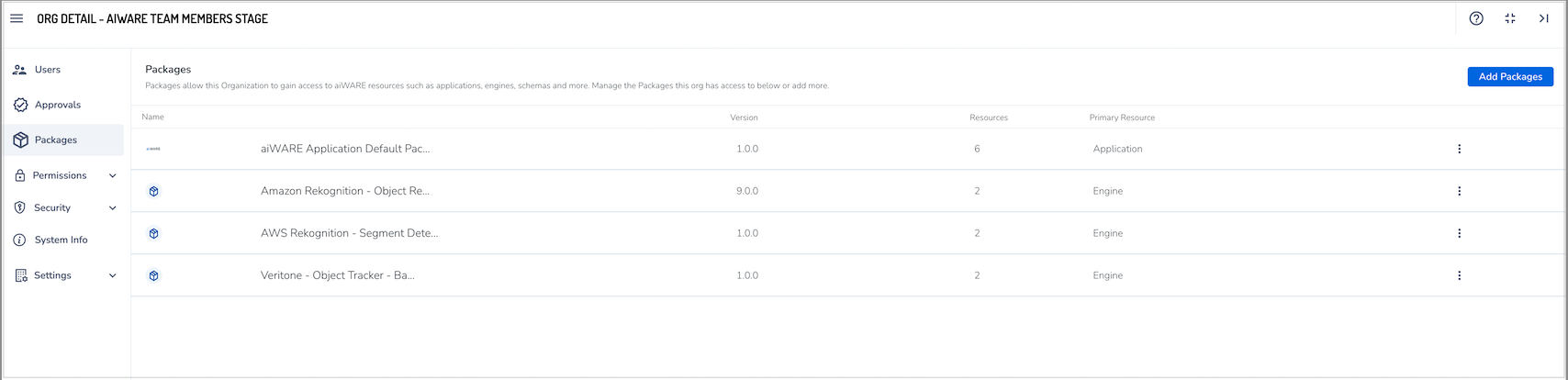
In the Organization Detail panel, click Packages.
-
Review the list of all enabled packages for the selected organization.
Revoke a package grant
To remove access to a specific package and its associated resources for an organization,
-
Open the Organization Admin Center and navigate to the Packages section.
-
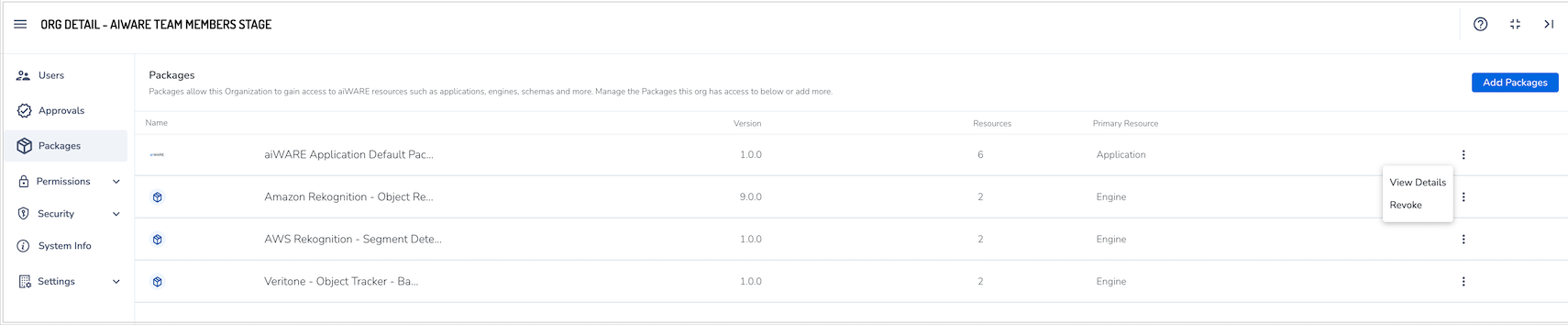
Locate the package you want to revoke. Click the options menu next to the package and select Revoke.
-
Confirm the action in the pop-up confirmation message.
Once revoked, any resources included in that package will be removed from the organization and its users.
Add a new package to an organization
To add a new package,
-
In the Organization Admin Center, go to the Packages section.
-
Click the Add Package button. The Add Package panel will display all available Packages for the instance.
-
Use the search bar or filter options at the top of the panel to locate a specific Package.
-
Click the information icon  next to a Package to view more details.
-
Click the Add icon  to grant access to the selected package.
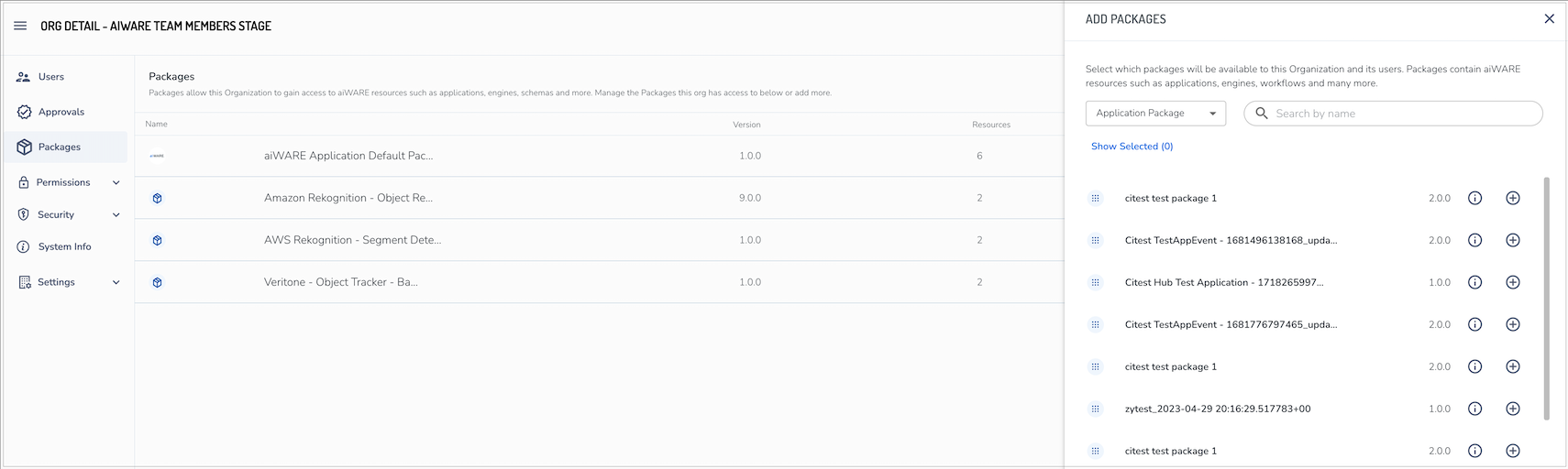
Once added, the organization and its users will have access to the resources included in the package.



