An instance admin can impersonate any user in the environment. While impersonating a user, each action you take will be tracked under a unique event, stating the impersonation action is taking place.
Access the Instance Admin Center
- To access the Instance Admin Center utility, log in to your aiWARE administrative account. You will require a superuser account. From the header bar, select
 and then Instance Admin Center
  . In the left side, click Users and then a user.
The Instance Admin Center slides open.
- Click All Orgs and search for an org account.
- Open the org details to see all users. Choose a user to impersonate.
Impersonate a user
In the user detail panel, click  and select Impersonate User.
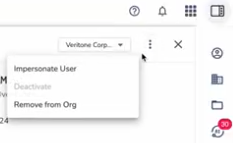
Click the blue Impersonate button to confirm. You can now switch into the user's account to make changes to their organization.
Stop impersonating
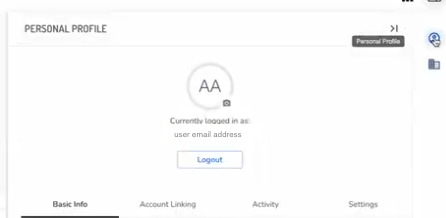
At any time, click the Personal Profile icon. The personal profile panel opens.
Click Logout.