Salesforce

AT-CORENG-02 Error displays after a successful web data connection

« Go Back
Article Details

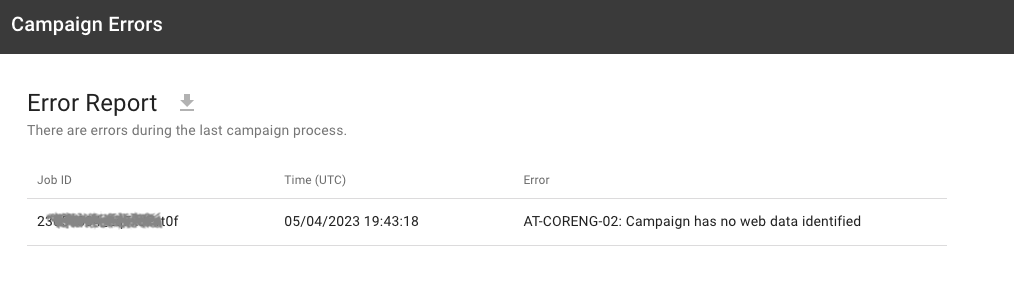
After successfully establishing an advertiser website connection to Veritone Attribute, the campaign dashboard continues to display the error message, "AT-CORENG-02: Campaign has no web data identified". 

The error may occur despite a "connection successful" message when checking the connection details. The Advertiser's megaphone status indicator in Attribute may be colored green despite the error message. Various Attribute connection types can experience this, such as Google Analytics - GA4 or Veritone Attribute Pixel, etc. 

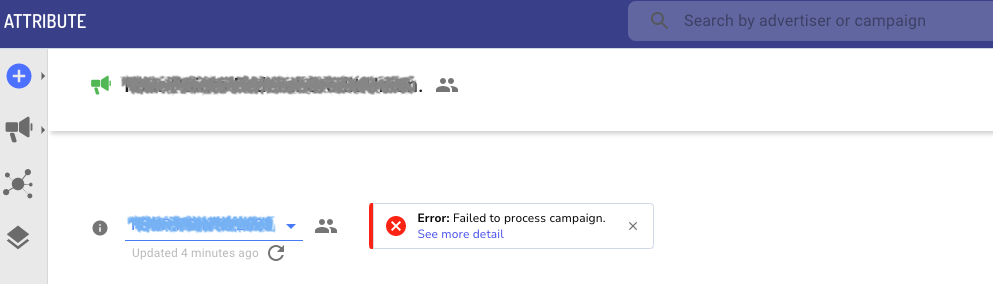
Screenshot of the campaign dashboard showing the "Failed to process campaign" error.
Screenshot of the Campaign Errors page showing the Error Log after clicking "See more detail" from the dashboard error:
 

Initial Data Load Latency

A temporary delay in loading web data is normal immediately after establishing a successful connection. It may take up to 24 hours before all web data is loaded and available in the Attribute campaign.

Traffic Channels Disabled in Campaign Filters

Disabling any web traffic channels will block web data from loading in the campaign and can cause this error.

Establish the Attribute Connection in Advance

We recommend establishing the Attribute Connection to the advertisers website at least 48 hours before the campaign starts to ensure all available web data has loaded successfully.

Enable Traffic Channels

Follow these steps while creating the campaign (see: Create a campaign) or while editing a campaign (see: How To Edit an Attribute Campaign):

  1. From the Filters step, expand the Traffic Channels section
  2. Select all channels, then click Next.
  3. Review the campaign details on the Summary step, then click Save

Related Articles
Spacer
Commercial - Attribute
Information
000002471
AT-CORENG-02 Error displays after a successful web data connection
Properties
000002471
Public

Powered by

