Overview
Veritone Redact’s transcription engine will provide you with an English transcript which will act as a map for your media. As your file plays, the transcript follows along “karaoke style” with your video, which is intended to streamline your audio redaction process. The accuracy of your transcript is dependent upon the quality of your audio. Any additional background noise or cross-talk will cause a lower accuracy threshold.
Video Tutorial
Applying Audio Redactions
Navigate to the “Audio” tab on the right side of the page to find the machine-generated English transcript.
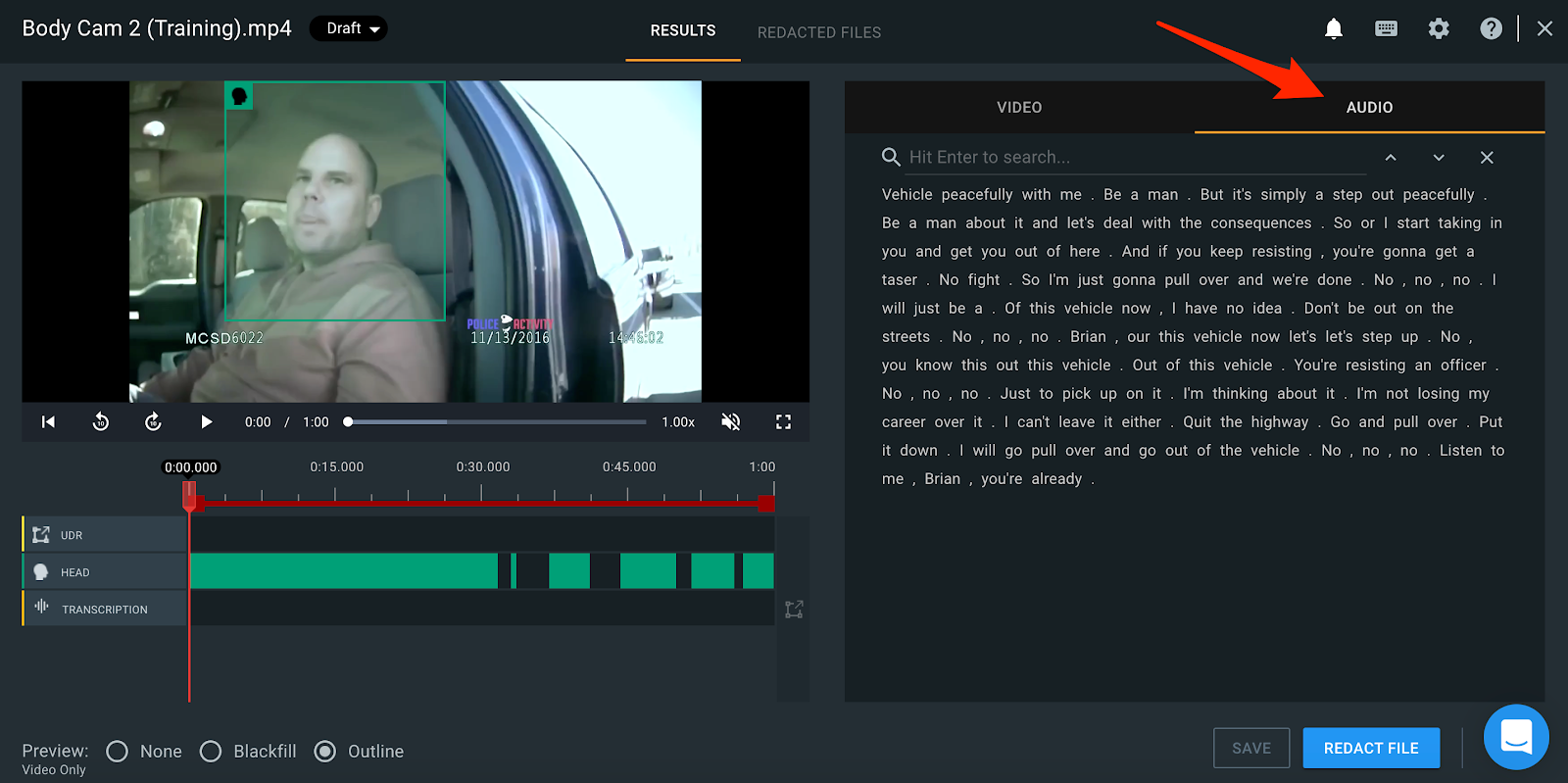
PRO TIP: When clicking on a word within the transcript, you will jump to that point in your video.
There are three ways you can apply Audio Redactions:
- Searching for keywords
- Selecting a large group of text
- Selecting a specific time within the audio timeline
1. Searching for Keywords
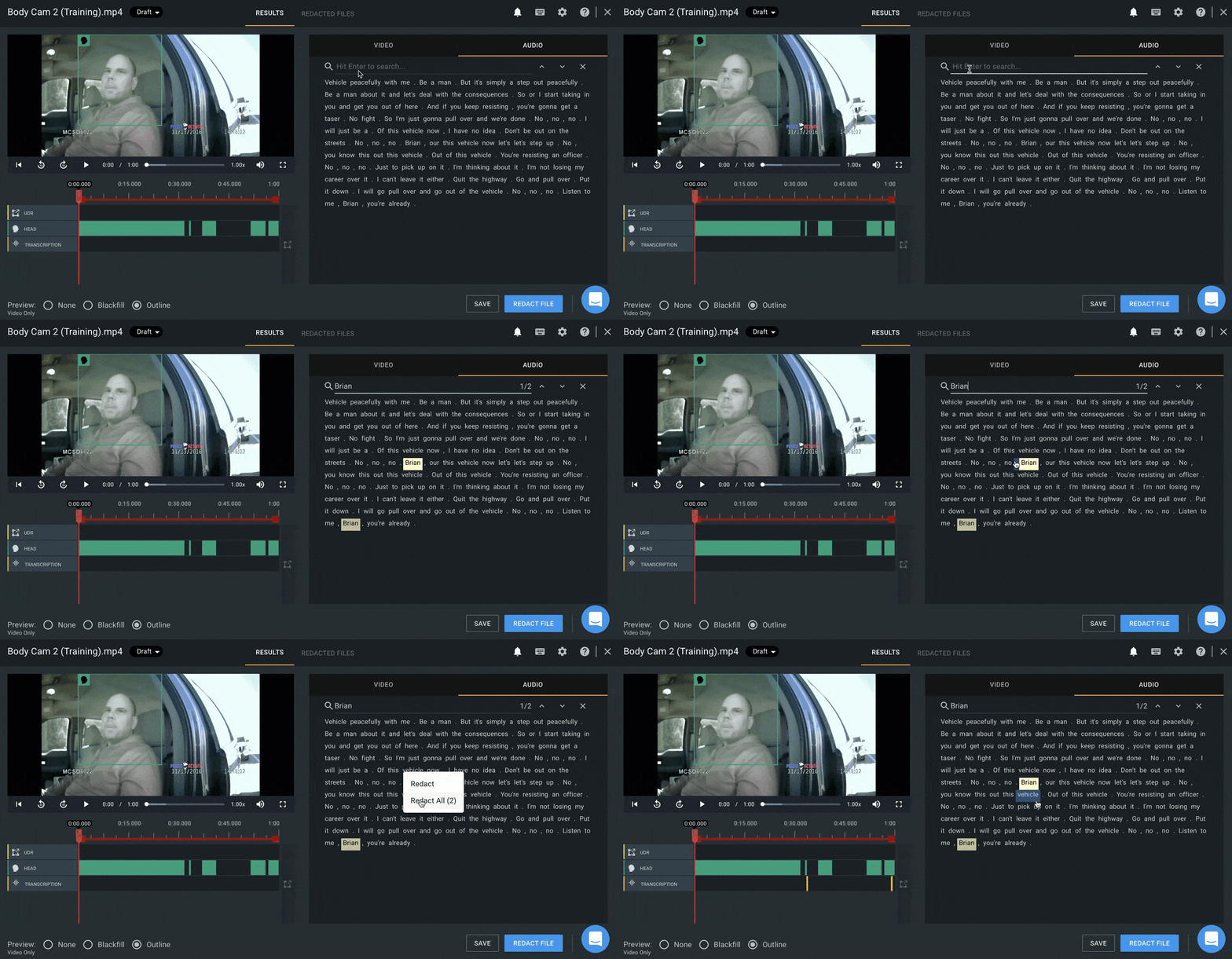
You can search for specific names or keywords mentioned within your transcript by clicking on the search bar at the top of the transcript and entering your keyword(s). Hit “enter” on your keyboard, and your searched keyword(s) will appear highlighted each time it is mentioned within the transcript. Right-click on the keyword and select either “Redact” to redact that one search result, or “Redact All” to automatically redact every appearance of that keyword.
2. Selecting transcript text
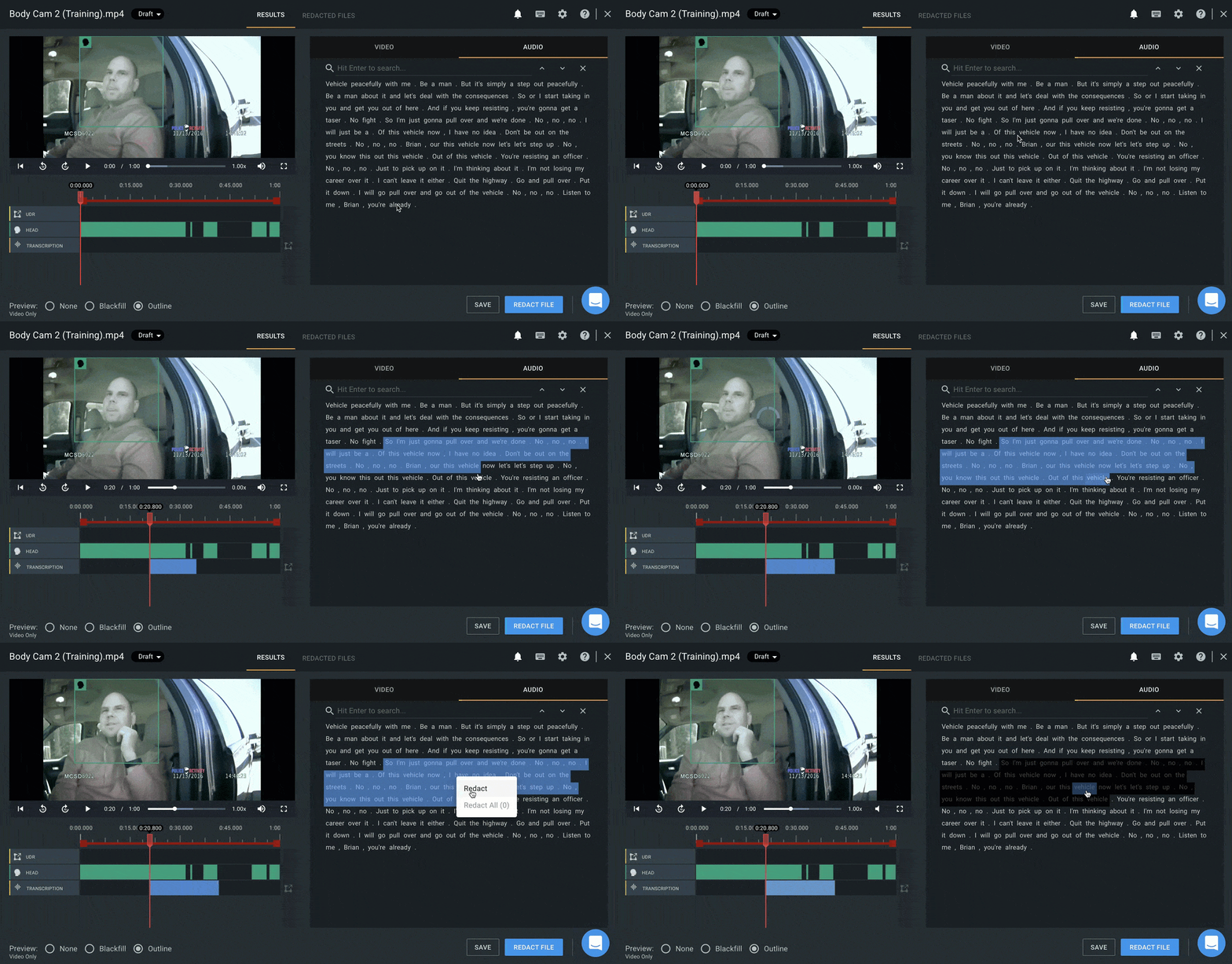
Highlight any portion of text in the transcript by left-clicking, holding and dragging your mouse. Once you have the text you want to redact highlighted, right-click your mouse on this selection and select “Redact”.
3. Selecting a specific time within the audio timeline
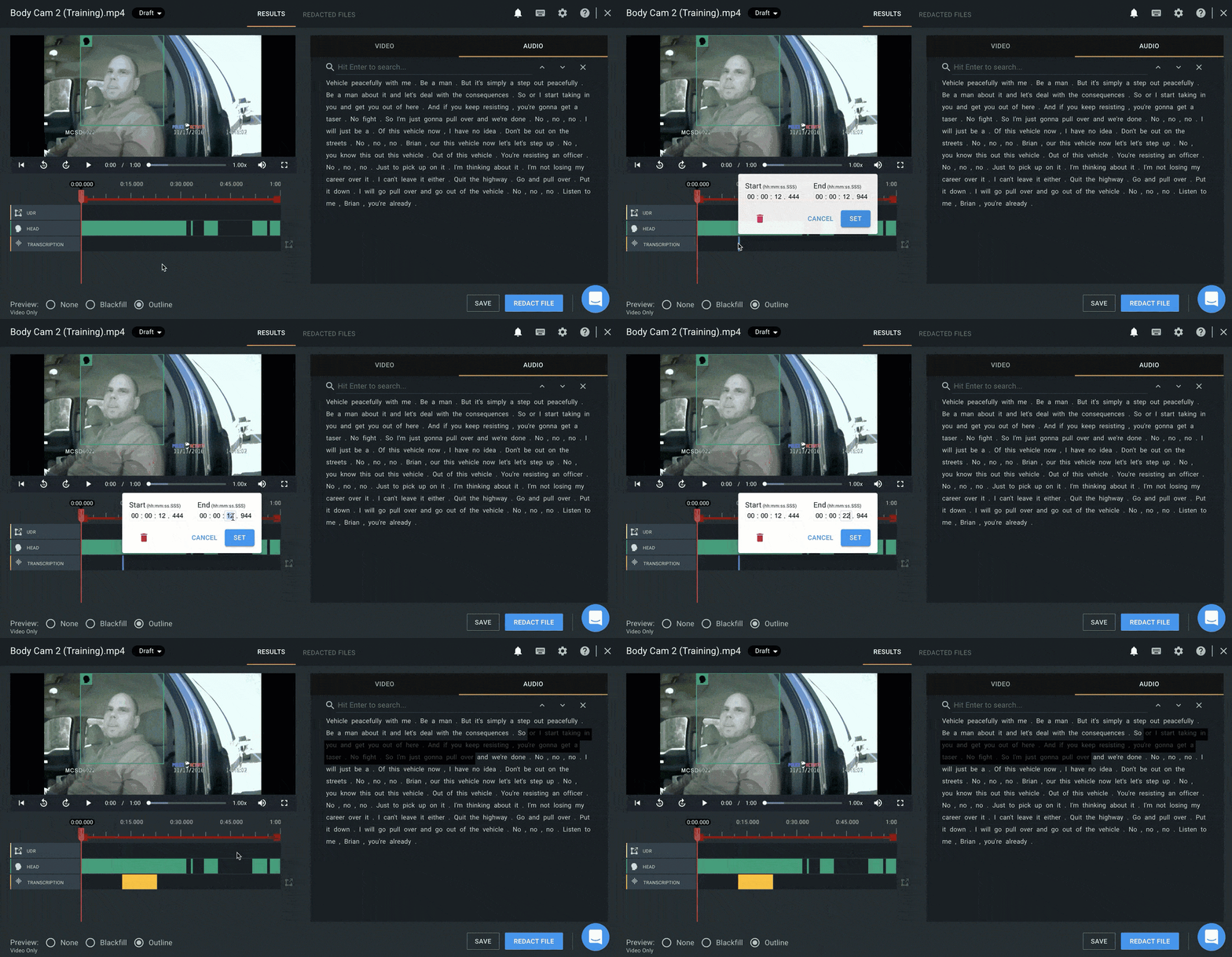
Click into the audio timeline itself on the left side of the screen. From there, you can enter the exact start and end time of the audio that you would like redacted.
PRO TIP: You can also add a note or Redaction Code to any audio redaction by right-clicking the redacted text and selecting the "Edit Note" option.
If you have questions about audio redactions, contact the Veritone Support team at Support@veritone.com.



