Overview
Veritone Redact’s transcription engine will provide you with an English transcript which will act as a map for your media. As your file plays, the transcript follows along “karaoke style” with your video, which is intended to streamline your audio redaction process. The accuracy of your transcript is dependent upon the quality of your audio. Any additional background noise or cross-talk will cause a lower accuracy threshold.
Video Tutorial
Removing Audio Redactions
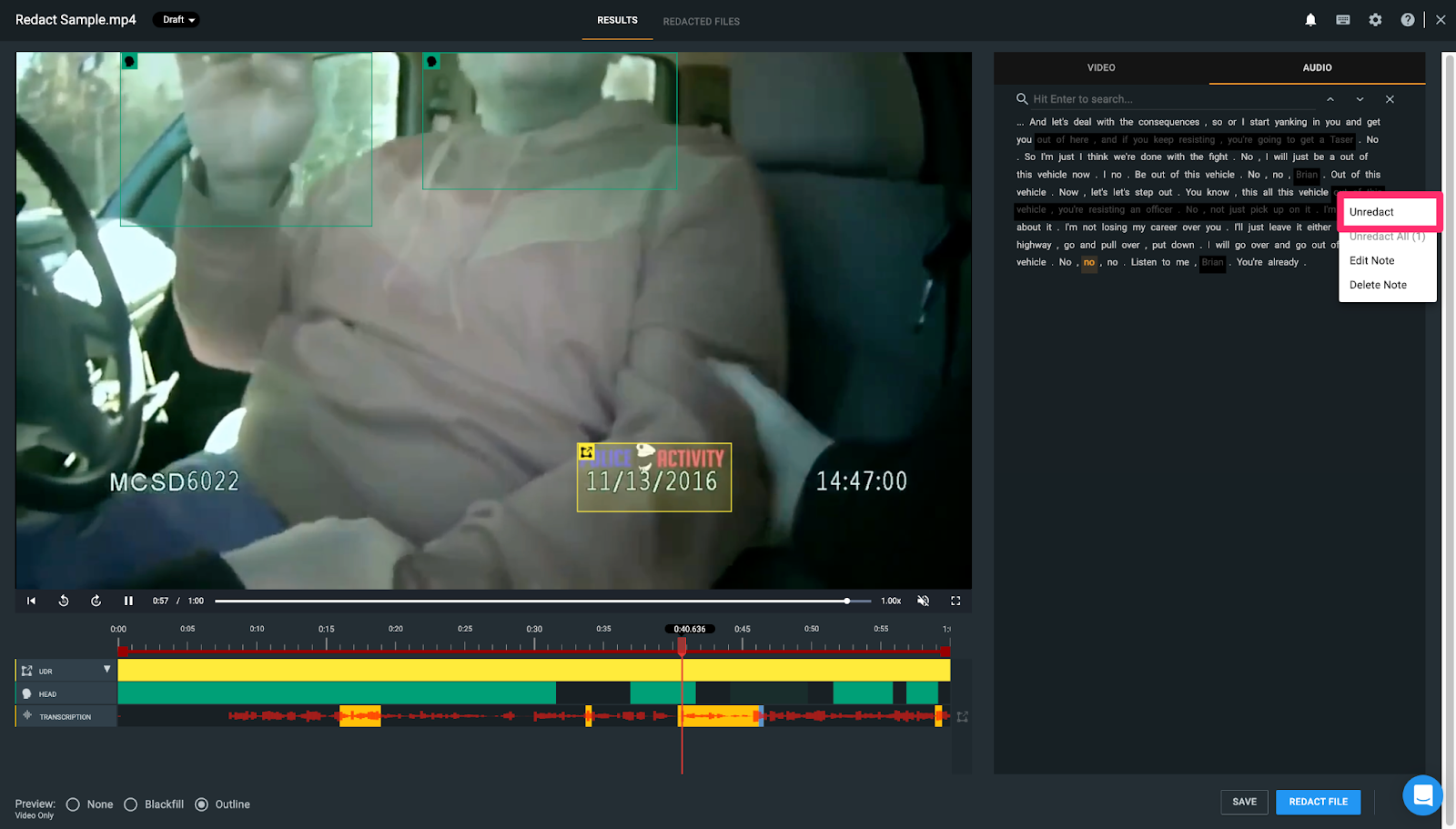
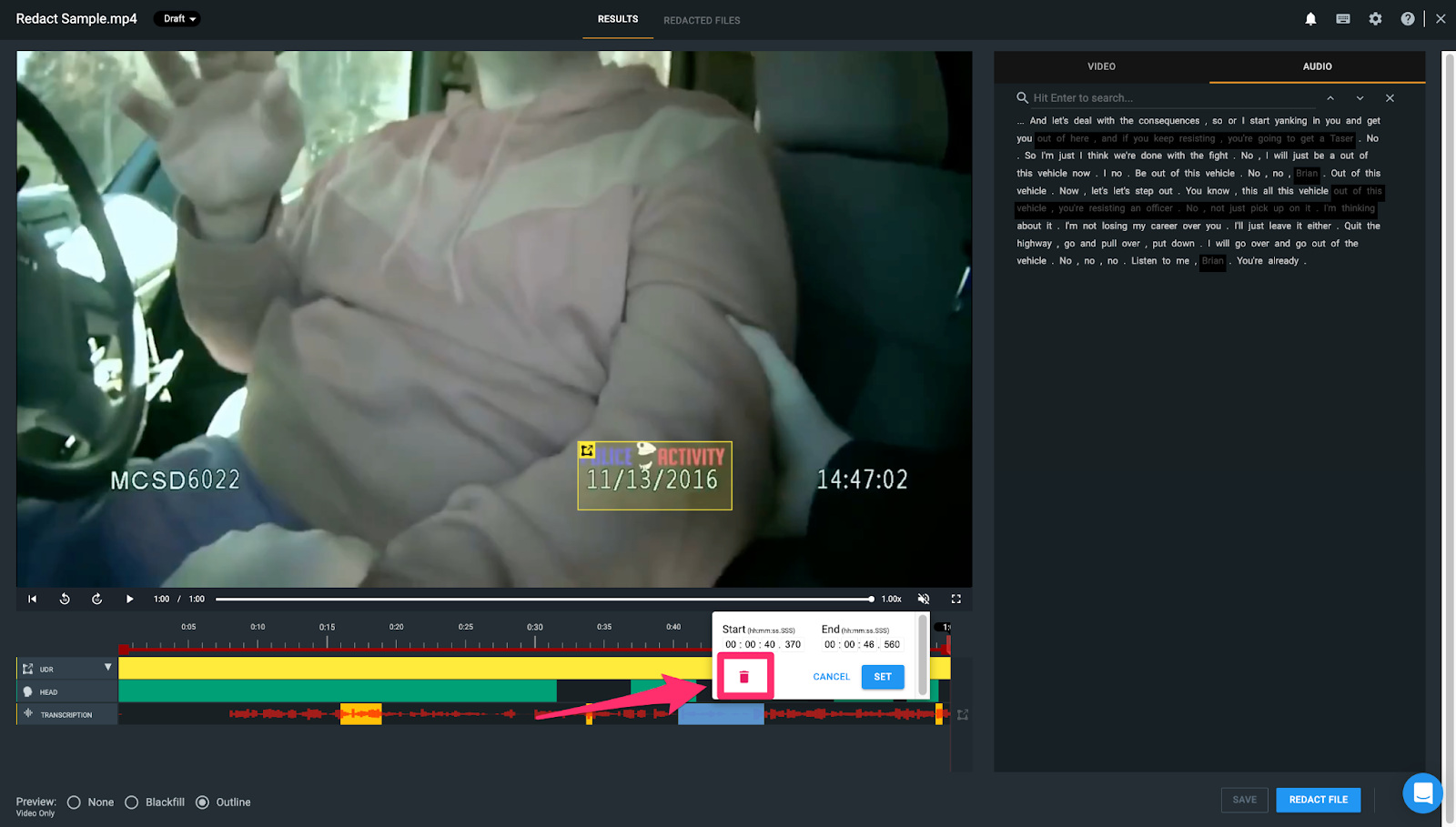
To remove audio redactions, you can do so directly from the transcript by right clicking on the redacted text which is highlighted in black and selecting “Unredact.” Alternatively, you can remove an audio redaction using the audio timeline by clicking on the audio redaction and selecting the trashcan icon.
If you have any questions about audio redactions, contact the Veritone Support team at Support@veritone.com.



