View packages and their details in aiWARE's Resource Center. See what resources are inside a package, track where it has been distributed, and manage grants for its use. Users can view all the packages that are available for their organization, including the packages that were created within the current organization, and those that were created externally but that have been granted for use by their organization. Additionally, resource or solution developers can track and monitor the usage of the packages they have created.
Access Resource Center
To access the Resource Center utility, log in to your aiWARE account.From the header bar, select  and then Resource Center
  .
.
Resource Center slides out as a panel.
View packages
When Resource Center opens, the Packages table is displayed. Here you can see all aiWARE packages that are owned by the current organization, or that have been granted to this organization for its use.
- Click on Packages in the left sidebar to open the Packages table in the main area of the panel.
The  icon indicates recently created or updated packages.
See package details
To view package details, do one of the following:
- Double-click a package's row.
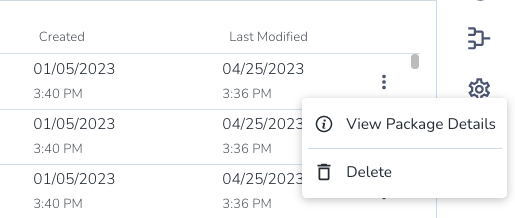
- Click the three dots next to a package and select View Package Details.
The Overview tab shows details for a package.
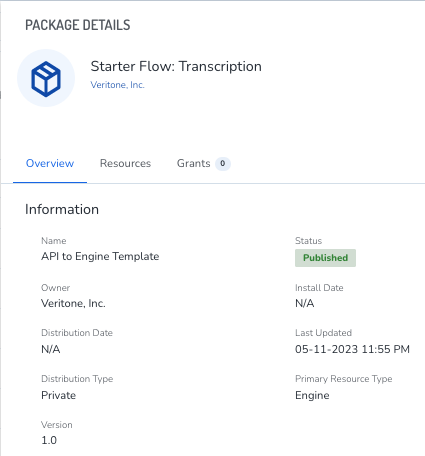
- If the package name is too long to be displayed, hover over it to see the full package name.
- The distribution type is set by the package's developer. See Distribution types for packages for a list of the available types.
View a package's resources
Quickly view the resources that make up the package on the Resources tab.
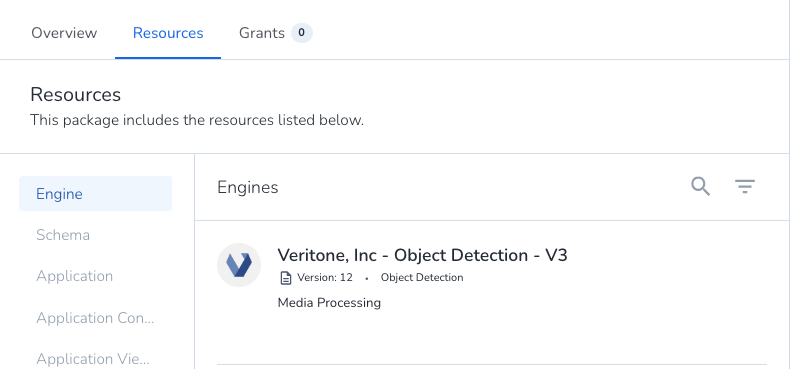
The resource types are listed to the left. Highlighted resources indicate that the package contains one or more resources of that type. Clicking on a resource type opens a list of detail cards for each of the resources. Each resource type displays different kinds of details, but all types include the name and version.



