Overview
Veritone Redact’s Head, Person and Objects Detection engine works by scanning through your video frame by frame, looking for any heads, persons, laptops, license plates/vehicles, and notepads. For more information about how Veritone Redact’s detection engine works, please visit our help article, Redact’s Engines and Auto-Detections.
In instances where the engine may pick up a false positive, such as something it detects as a head that is not a head, or redacts an object you don’t need to redact, you can remove or delete the detection.
How to Remove an Automatic Head Detection
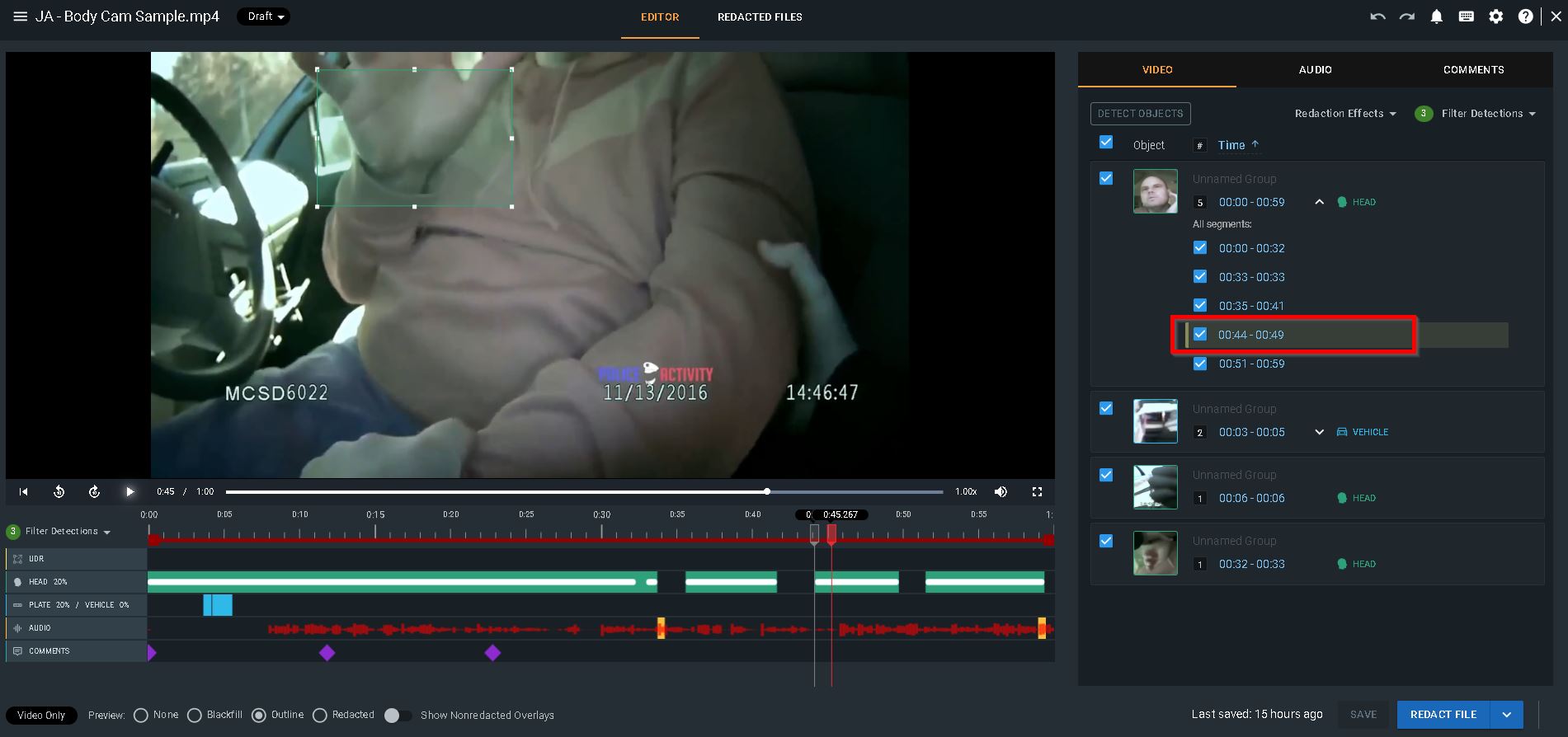
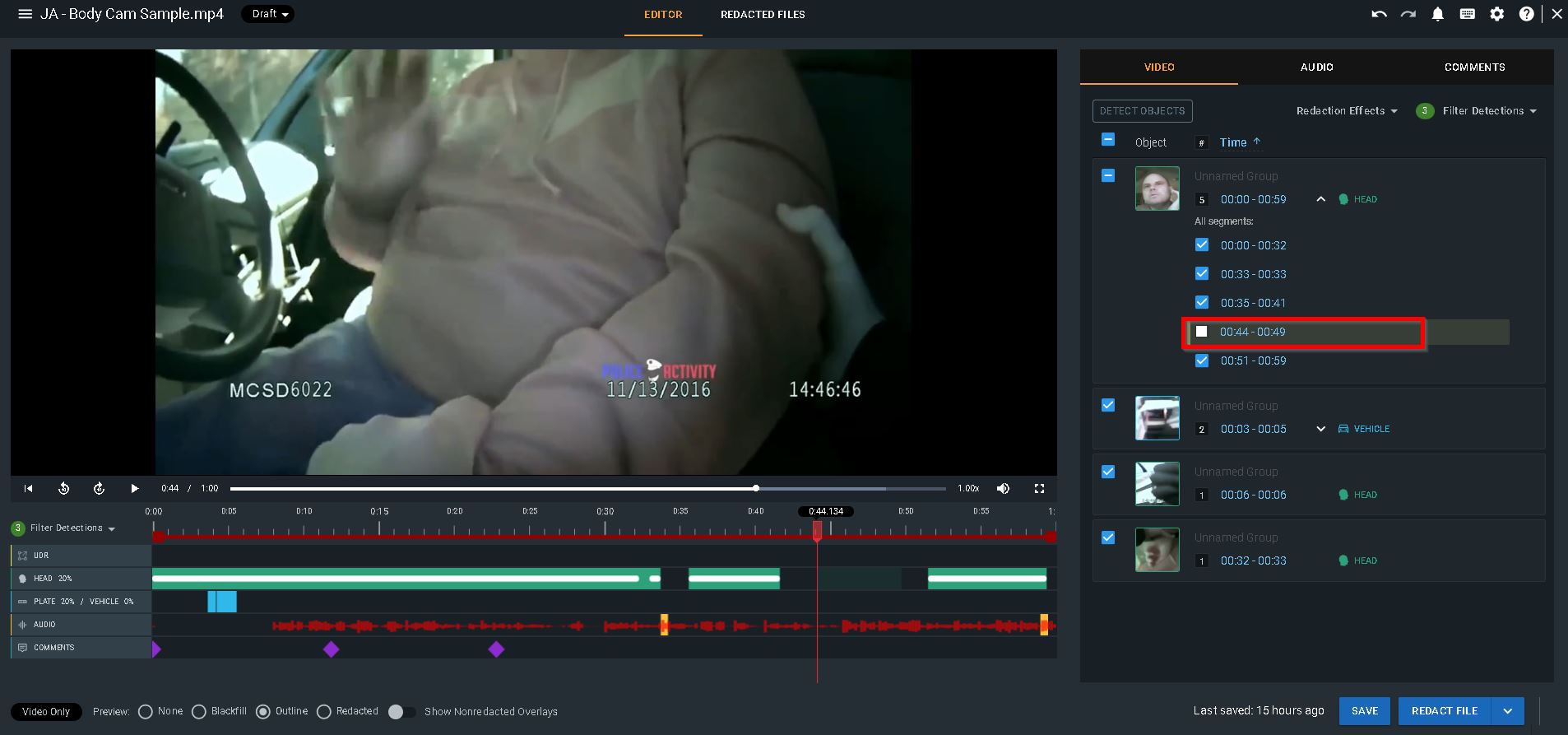
If the engine picks up an object that is a false positive, and does not need to be redacted, you can simply uncheck the box associated with that specific detection group or segment. Click on the mask within the media player to pull up the correlating detection group or detection segment within the video tab and uncheck the associated checkbox.
Only detections that are selected in the video tab will be redacted in your final output.
How to Delete an Automatic Head Detection
You can select the menu in the upper left corner of a detection to access additional options for deleting if you wish to permanently delete the selected frame, overlay, segment, or group. However, you can undo this action within your session by using the undo button.
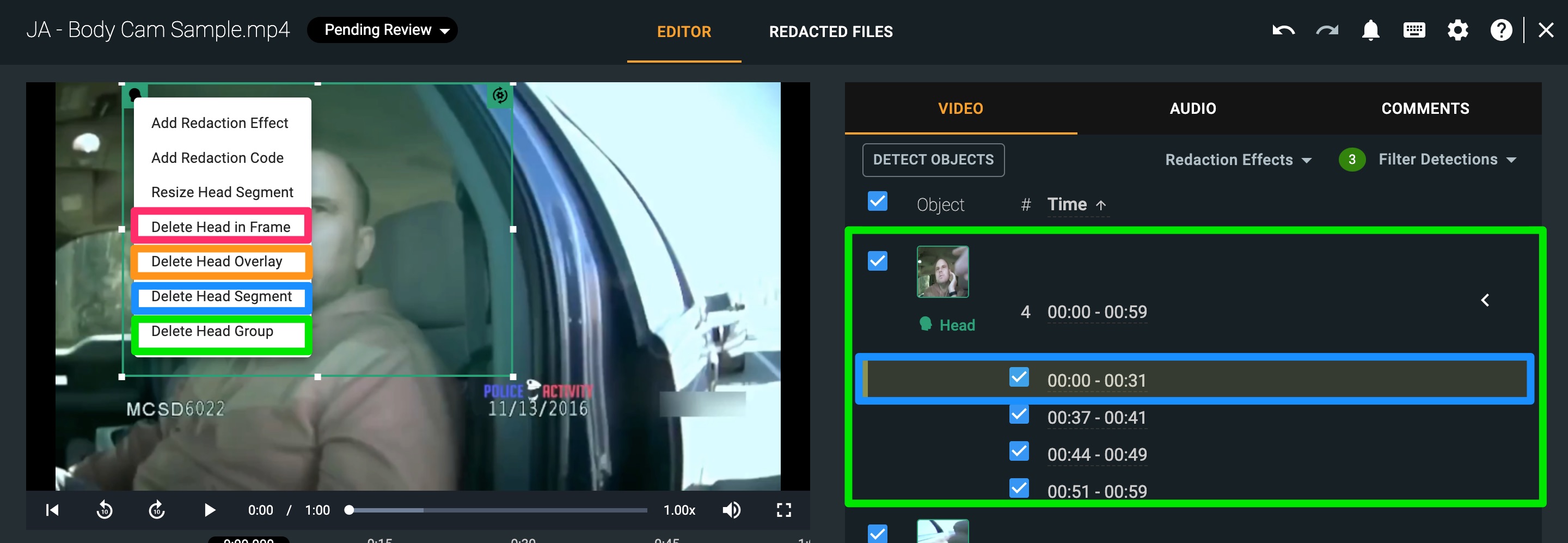
- Delete [object] in Frame, shown in pink, will delete one frame of this head.
- Delete [object] Overlay, shown in orange, will delete about 1-3 frames of this head, which is approximately 200-300 milliseconds. A frame is equivalent to 100 milliseconds for a media file that plays 30 frames per second, so this will vary based on the frame rate of your media.
- Delete [object] Segment, shown in blue, will delete the segment for this sub-group (timestamp in blue).
- Delete [object] Group, shown in green, will delete the entire head detection group, including all sub-groups as shown in green.
Note: “object” listed above will reflect whichever detection type you have selected. For example, as shown in the screenshot, a head was selected so the delete options reference all say “Delete Head…”,
If you have any questions about our auto detections, contact the Veritone Support team at Support@veritone.com.



