Overview
Veritone Redact’s Head, Person and Objects Detection engine works by scanning through your video frame by frame, looking for any heads, persons, laptops, license plates/vehicles, and notepads. For more information about how Veritone Redact’s detection engine works, please visit our help article Redact’s Engines and Auto-Detections.
How to Run Automatic Head Detection
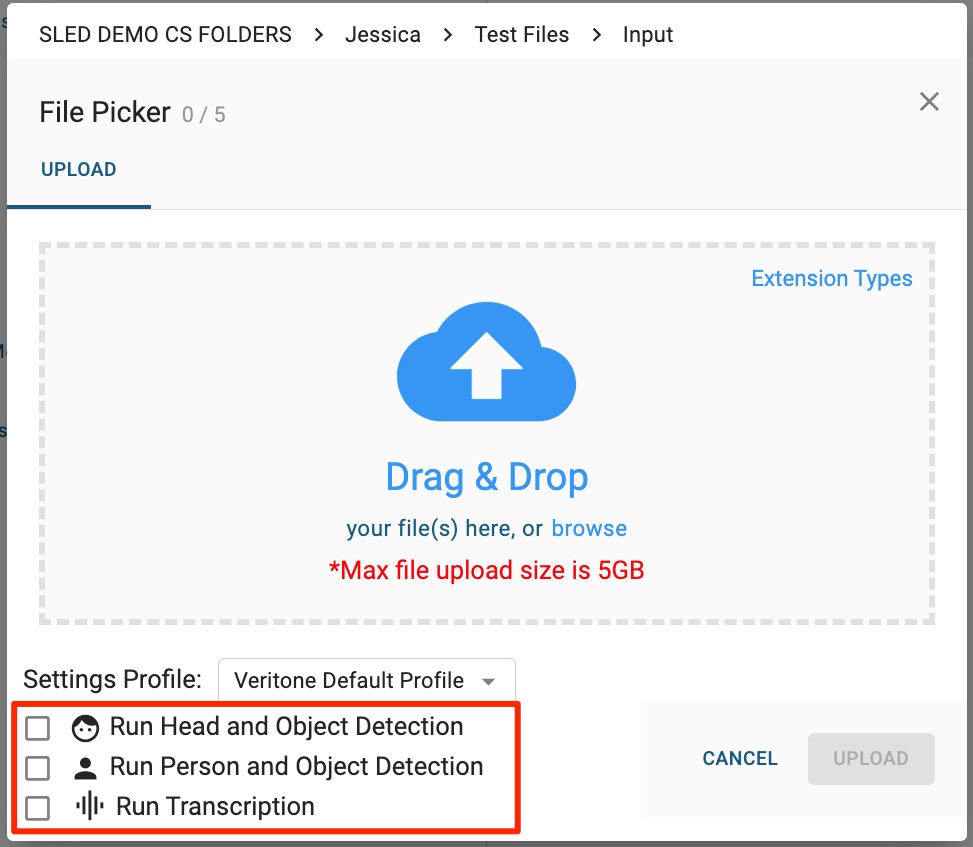
Using the File Picker, select the media you want to upload to Redact. Then, check the box next to each processing option that you'd like to run:
-
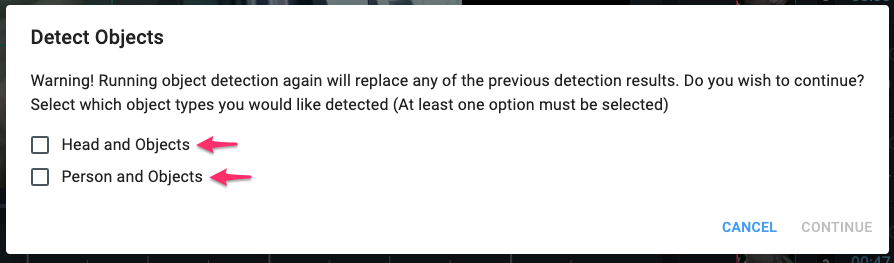
"Run Head and Object Detection" detects heads, license plates, laptops, and notepads in videos.
-
"Run Person and Object Detection" detects an entire person (rather than just a head), for redaction, as well as license plates, laptops, and notepads in videos.
-
"Run Transcription" produces an English transcript for your file's audio, which is used to apply audio redactions. If your media does not have audio (for example, surveillance camera footage), you can simply leave this unselected.
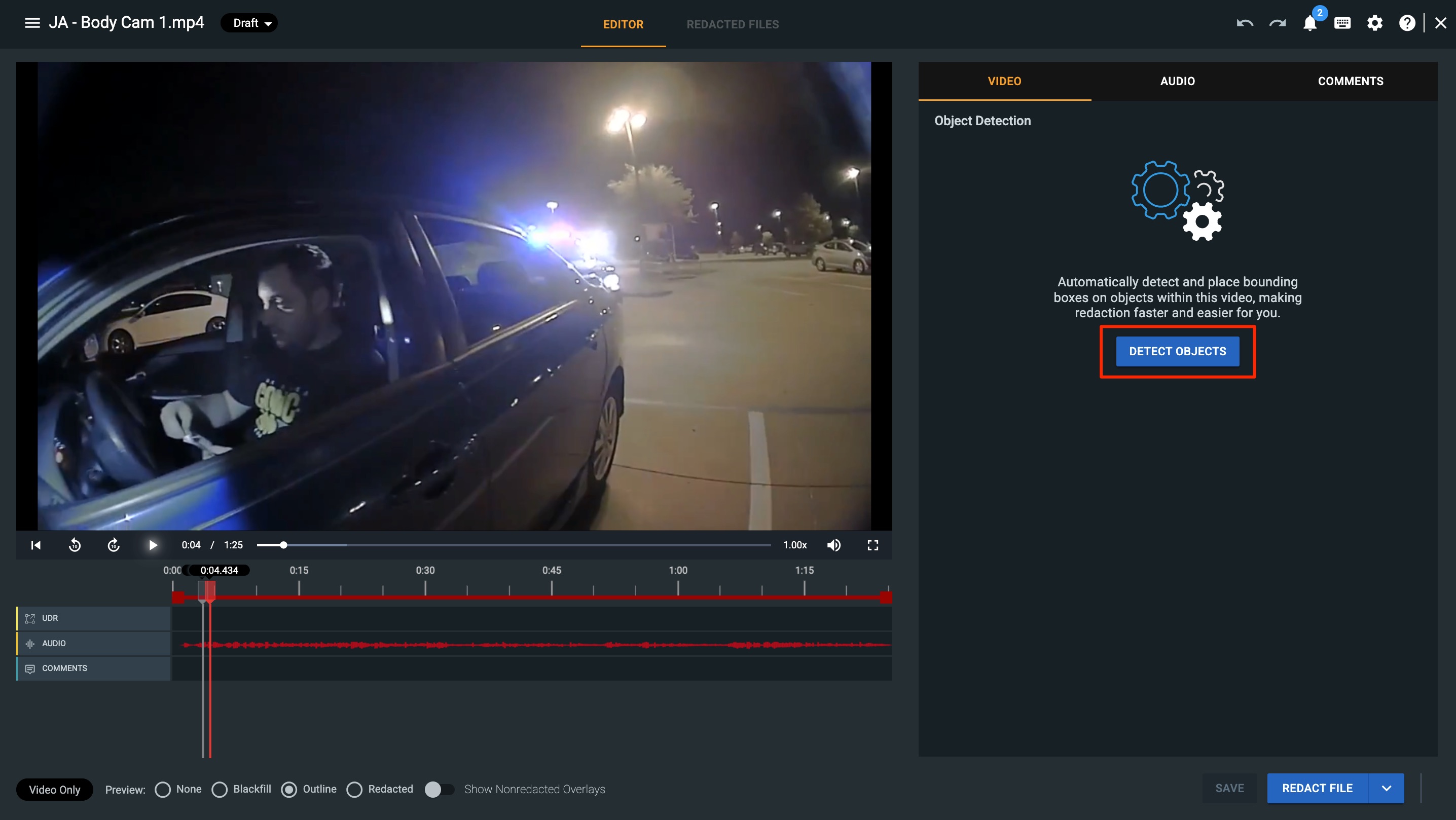
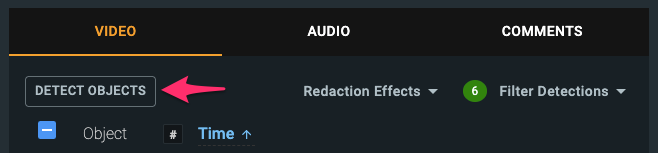
If you did not run head and object detection while uploading your media, you can do so from the File Manager Page, by selecting the Detect Objects button in the video tab.
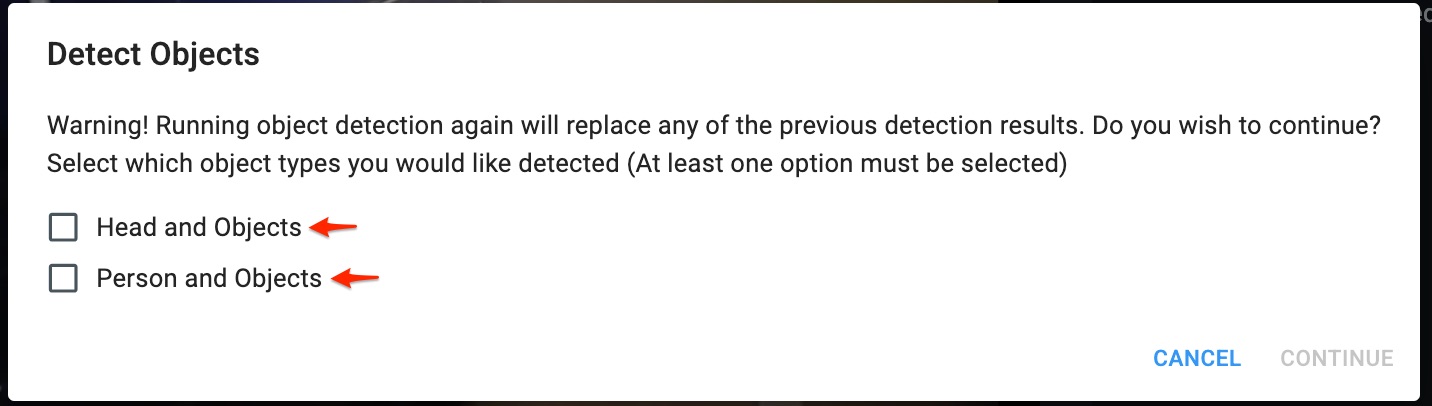
From the Detect Objects popup, you can select which object types you want to detect.
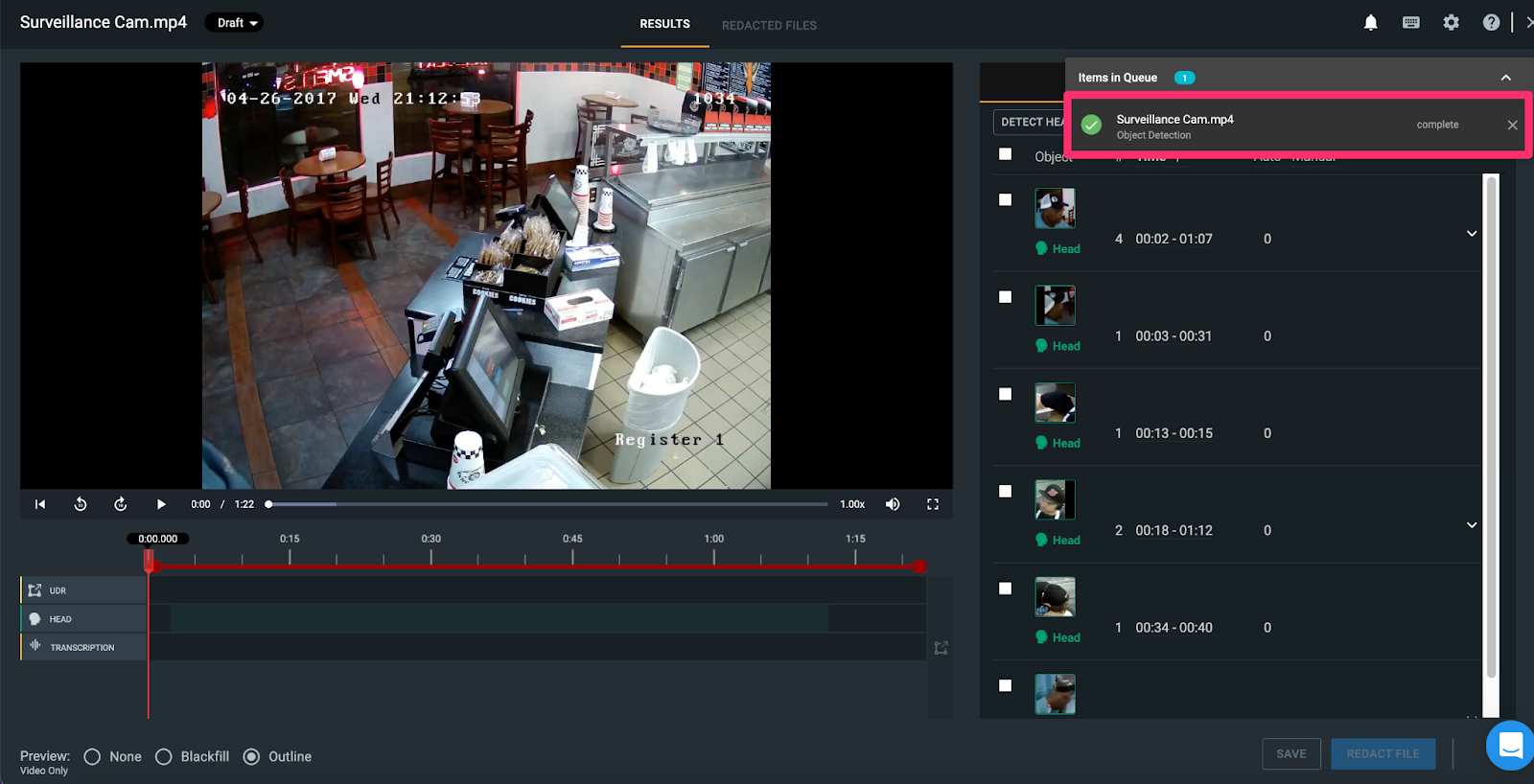
While processing, you can perform other work on the file, i.e. add user-defined regions, run audio transcription, etc. or return to the homepage to work on a different file. Processing times vary based on the size of the file and the number of detections within the media file. Cognitive engine processing occurs in the cloud and does not require the browser to be open.
The processing status of the file's detections can be viewed in the Notification Center.
Pro Tip: If autodetections are missing objects due to lower-quality footage like grainy or nighttime media, navigate to your Settings and reduce the Confidence Threshold by 5-10%. After clicking "Save," you can then select the "Detect Objects" button in the video tab to rerun the engines at this new, lower threshold. This should help improve detection in challenging videos.
If you have any questions about our auto detections, contact the Veritone Support team at Support@veritone.com.



