Overview
Veritone Redact’s Head, Person and Objects Detection engine works by scanning through your video frame by frame, looking for any heads, persons, laptops, license plates/vehicles, and notepads. For more information about how Veritone Redact’s detection engine works, please visit our help article, Redact’s Engines and Auto Detections.
If an auto-detection mask is not correctly sized or placed, you can resize or adjust its positioning by adjusting the detection type’s padding or resizing an individual detection.
Video Tutorial
How to Resize Detection Groups
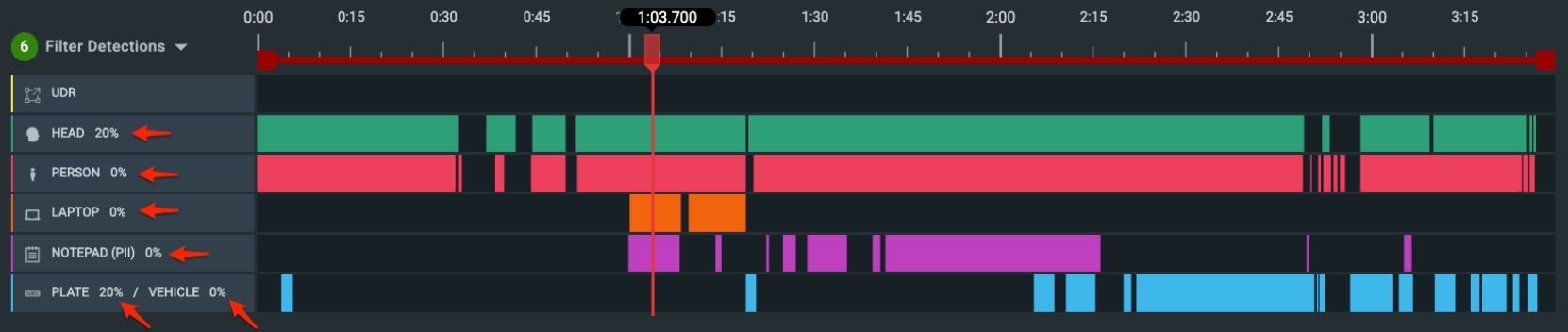
All detected detections have a default padding added to account for movement. Padding is defined as the space between the detected object and the redaction mask. This can be helpful if the automated redactions cover too much or too little of the object in being redacted. All padding is set to 0% except for heads and license plates which have a default padding of 20%.
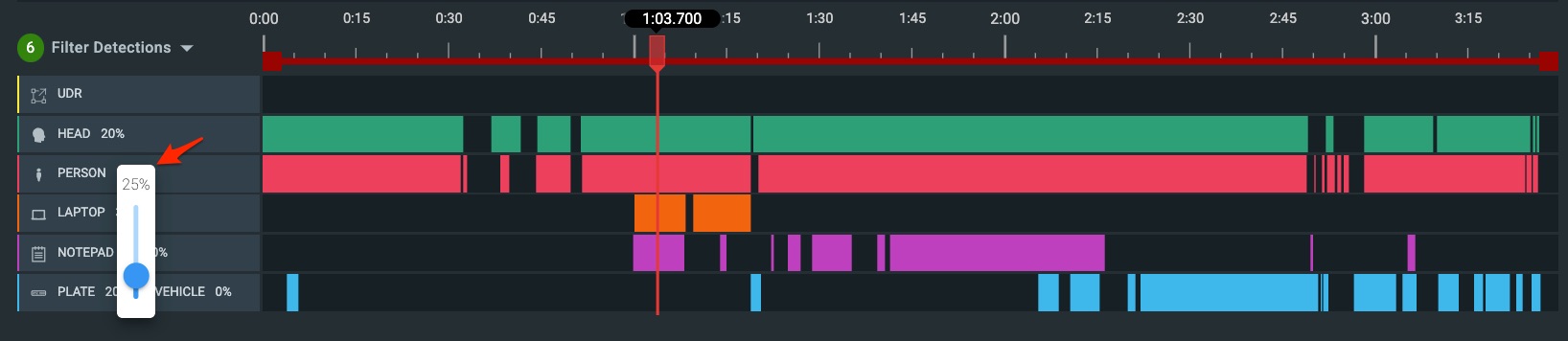
Padding can be adjusted from an object’s timeline, by selecting the percentage and using the slider to increase or decrease the percentage of padding.
You can increase or decrease this padding by selecting the “20%” on the head timeline and adjusting accordingly.
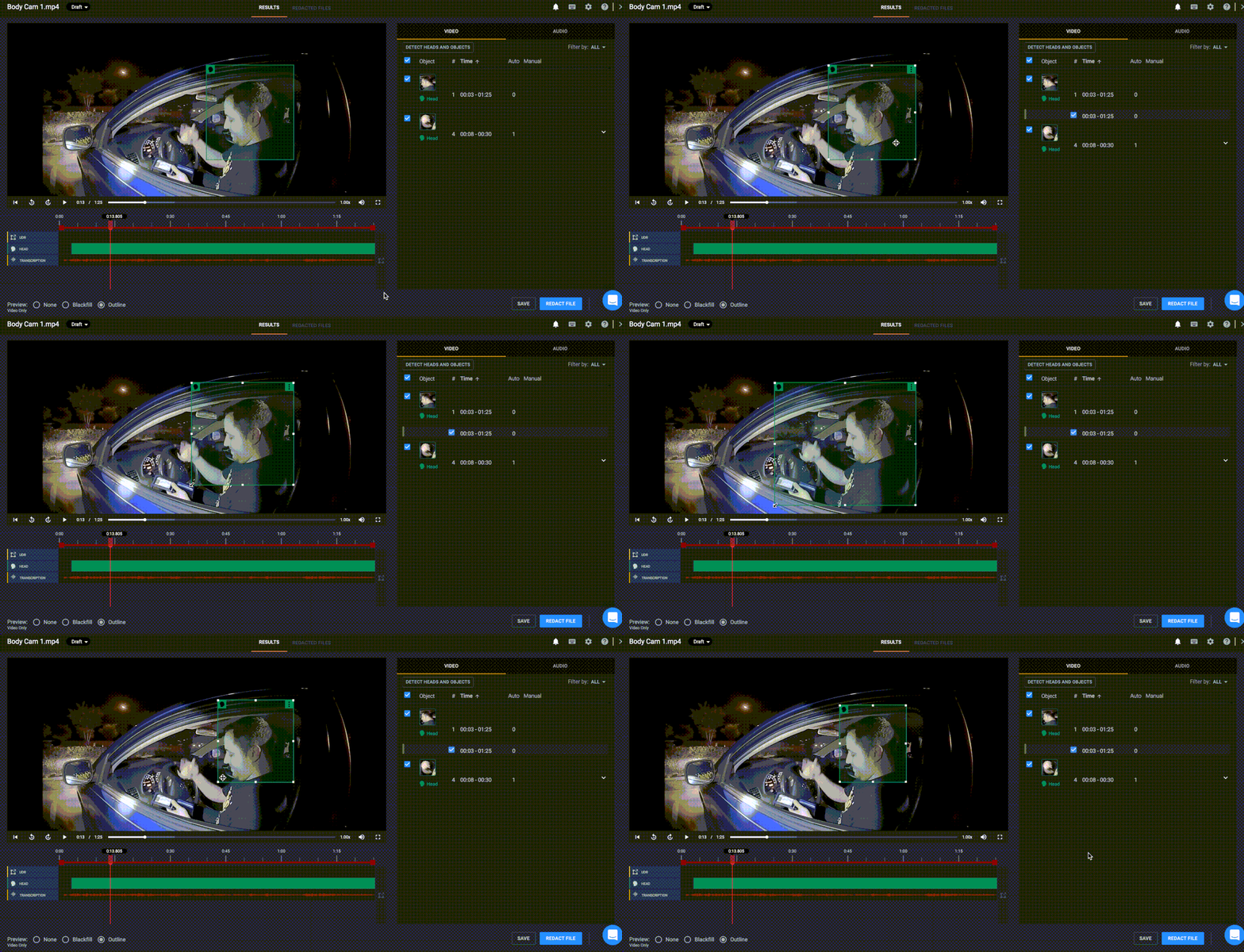
You can also resize or adjust a single headgroup if an auto-detection mask is not correctly sized or placed. To do so, click into the green head detection box and use your mouse to drag the corner and adjust as needed. This is the same process that can be applied for any auto-detection (i.e. laptop, notepad, license plate, etc.).
Note: If you noticed a head, or in some instances, a partial head due to an obstruction in the media, that was not captured by our head detection engine, you will need to draw a User Defined Region (UDR) to redact this. Learn more about UDRs here.



