Facebox detects and identifies faces in photos. You can teach Facebox with as little as one sample image.
Uses for Facebox
Facebox has a variety of utilities:
- Identify who is in an image
- Improve search and SEO by automatically including the names of people featured in photographs
- Drive social engagement by notifying users when they appear in new content
- Anonymize images by blurring faces
- Kick-start manual moderation of images by detecting faces ahead of time
Example experience
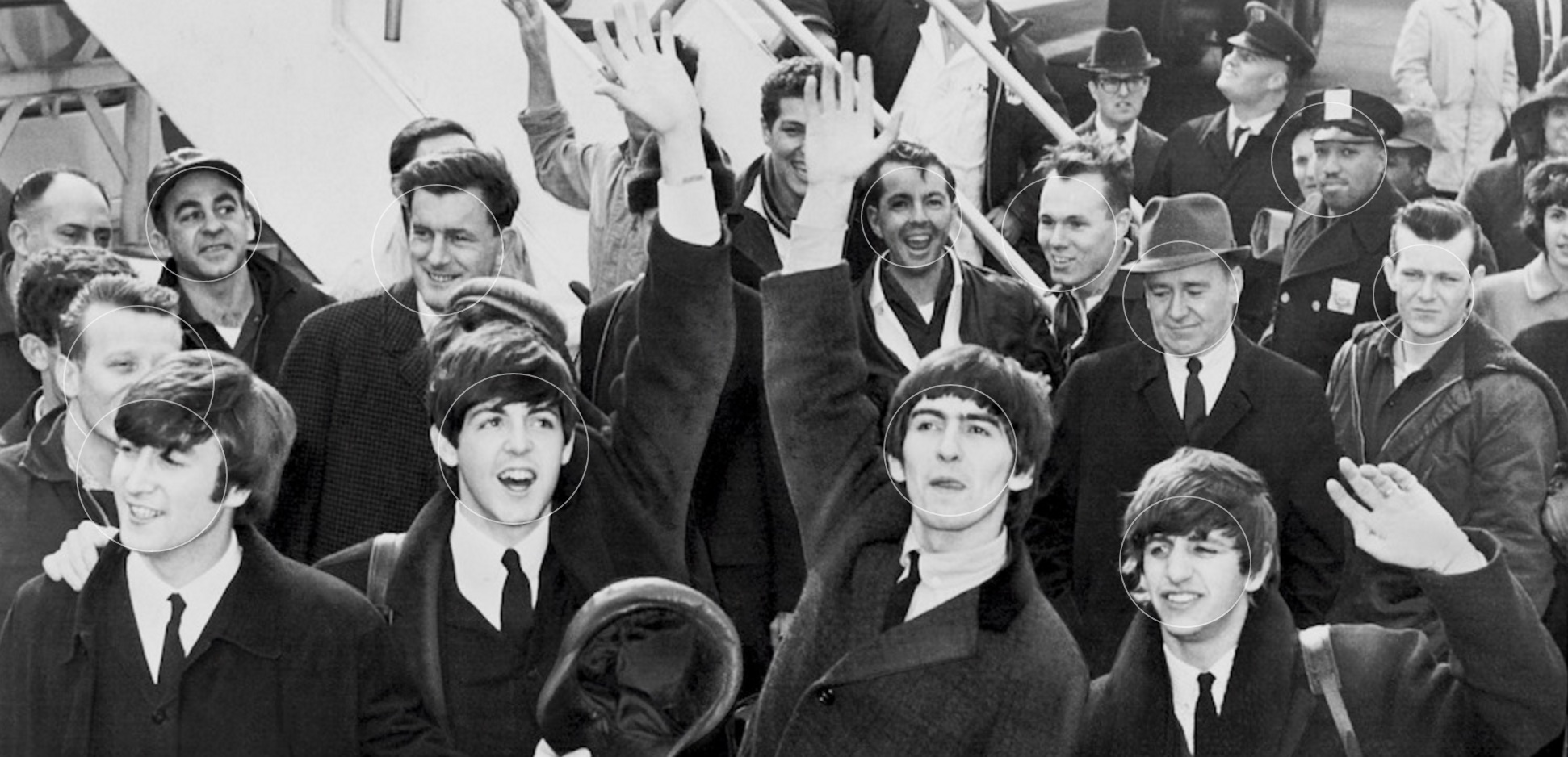 In the above image, which a real tool available when you run Facebox, the rectangles returned from the API are used to draw circles around each face allowing the user to interact with them.
Run Facebox
- Make sure you have Docker running with at least 2 CPUs and 4GB RAM.
- Run this code in your terminal to start the box:
MB_KEY="YOURKEYHERE"
docker run -p 8080:8080 -e "MB_KEY=$MB_KEY" machinebox/facebox - Go to http://localhost:8080/ in your browser to see what your box can do
Updating Facebox
If you already have Facebox installed, you can update it with the following: docker pull machinebox/facebox:latest



