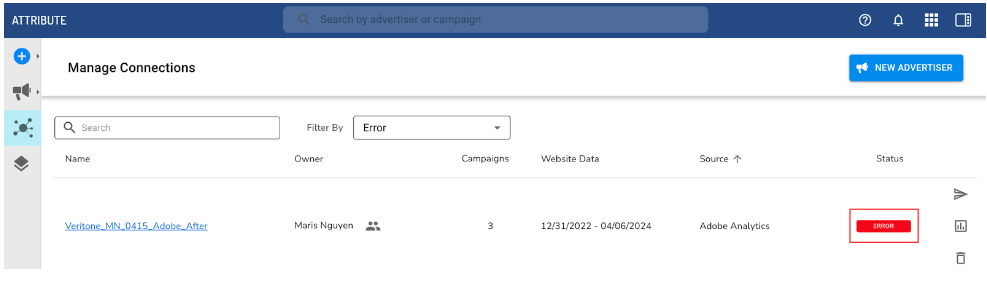
If your Adobe advertiser has a warning or error status, there is an issue with the web connection which may cause a disruption to attribution reporting.
-
Warning status: Advertiser has active campaign(s) in Attribute, but web data has stopped actively tracking within last 48 hours
-
Error status: Advertiser has active campaign(s) in Attribute, but web data has stopped actively tracking in over 48 hours
Use the Troubleshoot errors and warning status guide to resolve.
You can also send an alert directly to your advertising partner from the Attribute application, notifying them of the issue and providing direct guidance.
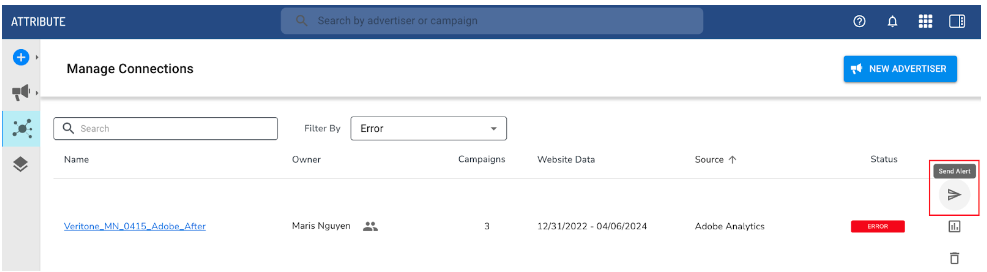
After a healthy web connection has been restored, your advertiser’s connection status will transition to Active (if ongoing campaigns are present) after at least 3 hours of web data ingestion.
Verify with Adobe Admin
Navigate to the Advertiser Details of your Attribute advertiser and identify the admin email address, which will indicate who granted the authorization for Attribute. It’s possible this email no longer exists, or no longer has Admin authorization for the Adobe account, and a connection needs to be reinstated. Adobe data does track retroactively up to 2 years from connection date to Attribute, so a new invite can be sent to reinstate permissions.


